
Insta-Meets Feature
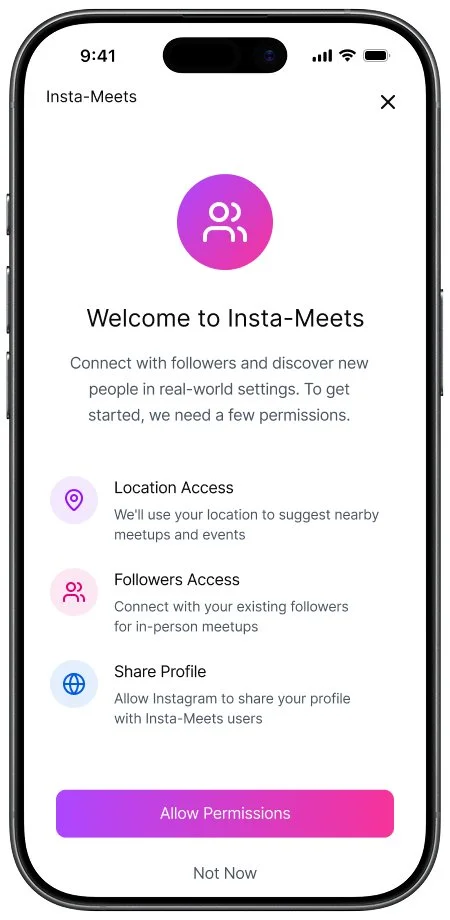
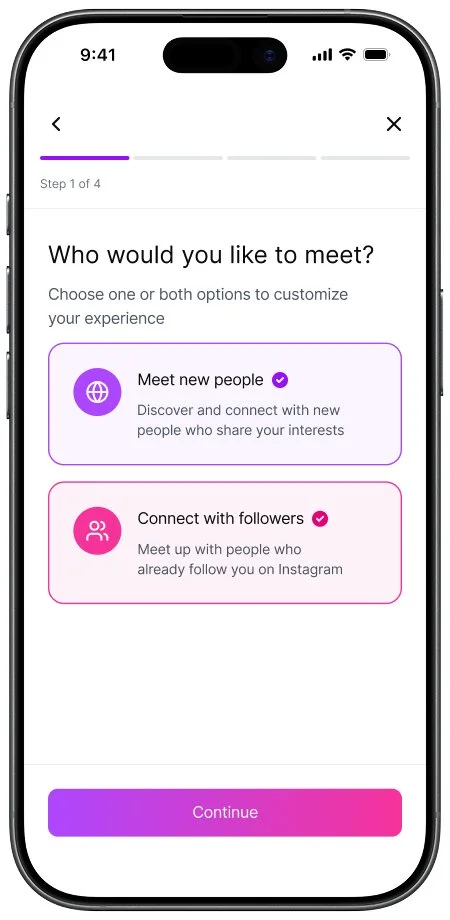
Insta-Meets is a feature added to the Instagram platform that prioritizes encouraging in-person engagements and creating lasting connections between users.
Product Type
Mobile First add-on feature
Role
End To End Designer
Tools Used
Figma, Figjam,
Figmake
Duration
5 Weeks
Problem
Social Media has become such a platform for marketing, advertisement, selling and building businesses that often people feel like it has lost the social aspect of social media.
Solution
I created a feature that prioritizes in-person engagements between users by connecting each-other based on similar preferences and locations. Users can join groups, create events, and meet like-minded individuals in real-world settings.
Conducting Research
The first step for creating the Insta-Meets feature was to conduct market and user research in order to define the product.
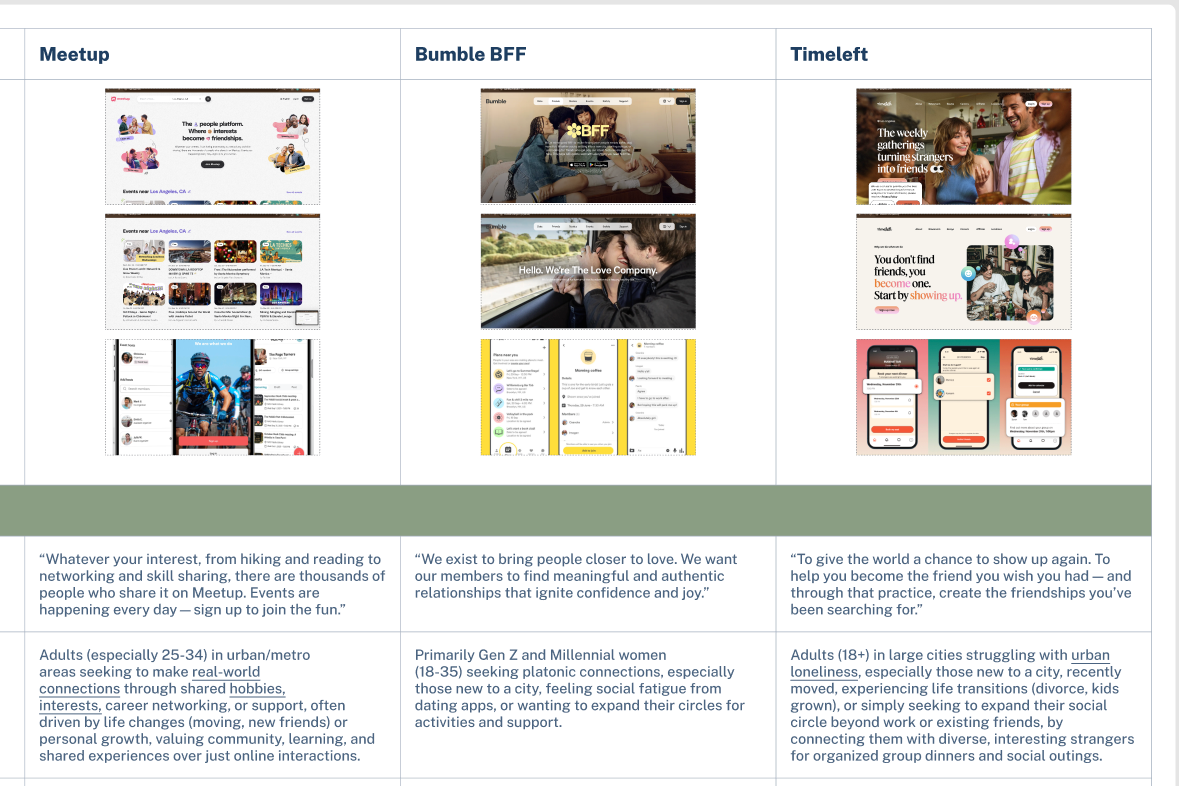
Step 1/4: Competitive Analysis
Key Insights
Most social gathering apps include event creation, group creation, and interest based connections
Products bring special focus to users who have newly relocated
All products take rigorous steps to protect the privacy of their users
Special permissions such as location sharing are necessary to accomplish the goals of these apps
Goals:
Understand the market for products similar to the feature that I am proposing and identify the best practices and key functions used by these products.
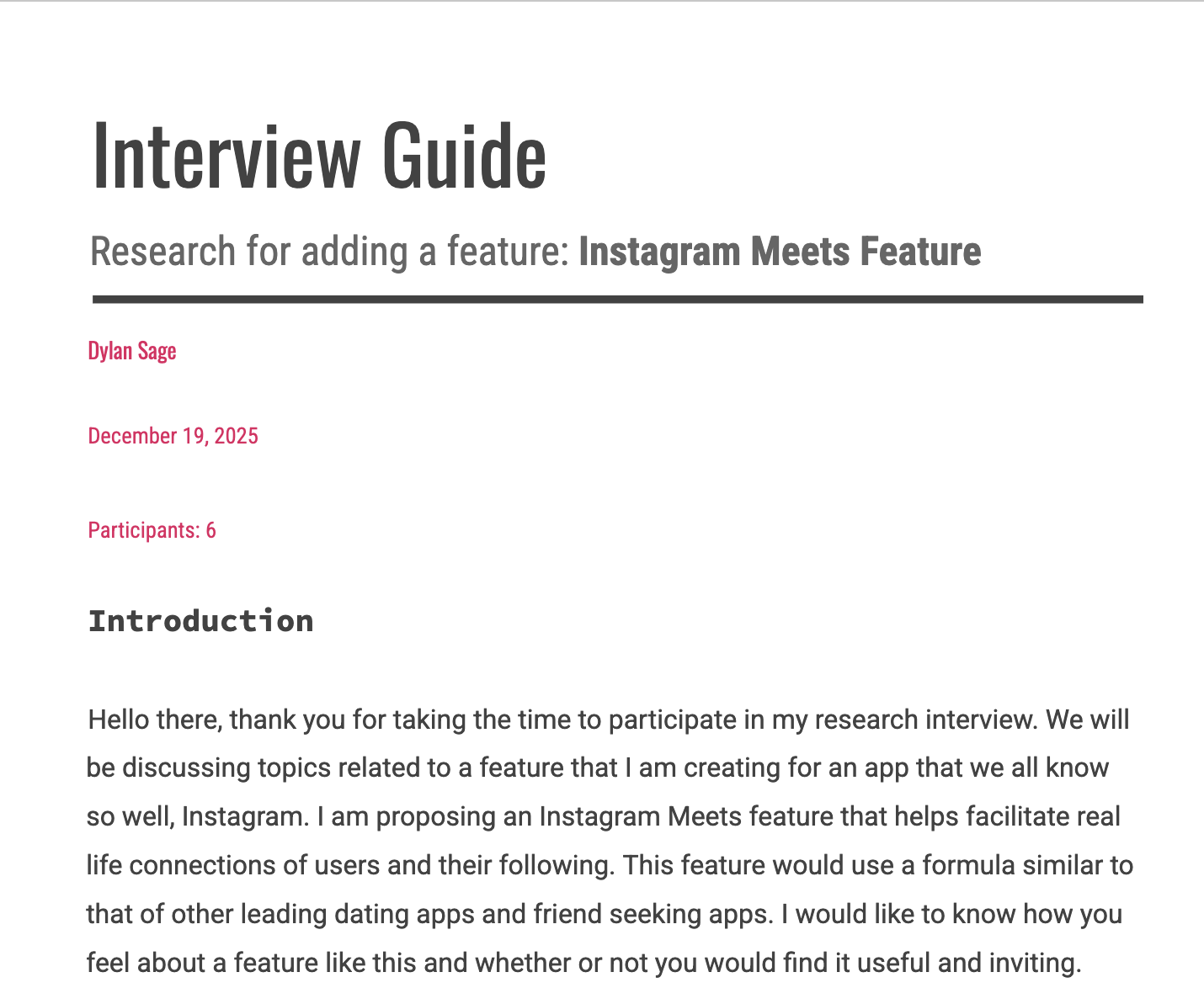
Step 2/4: User Interviews
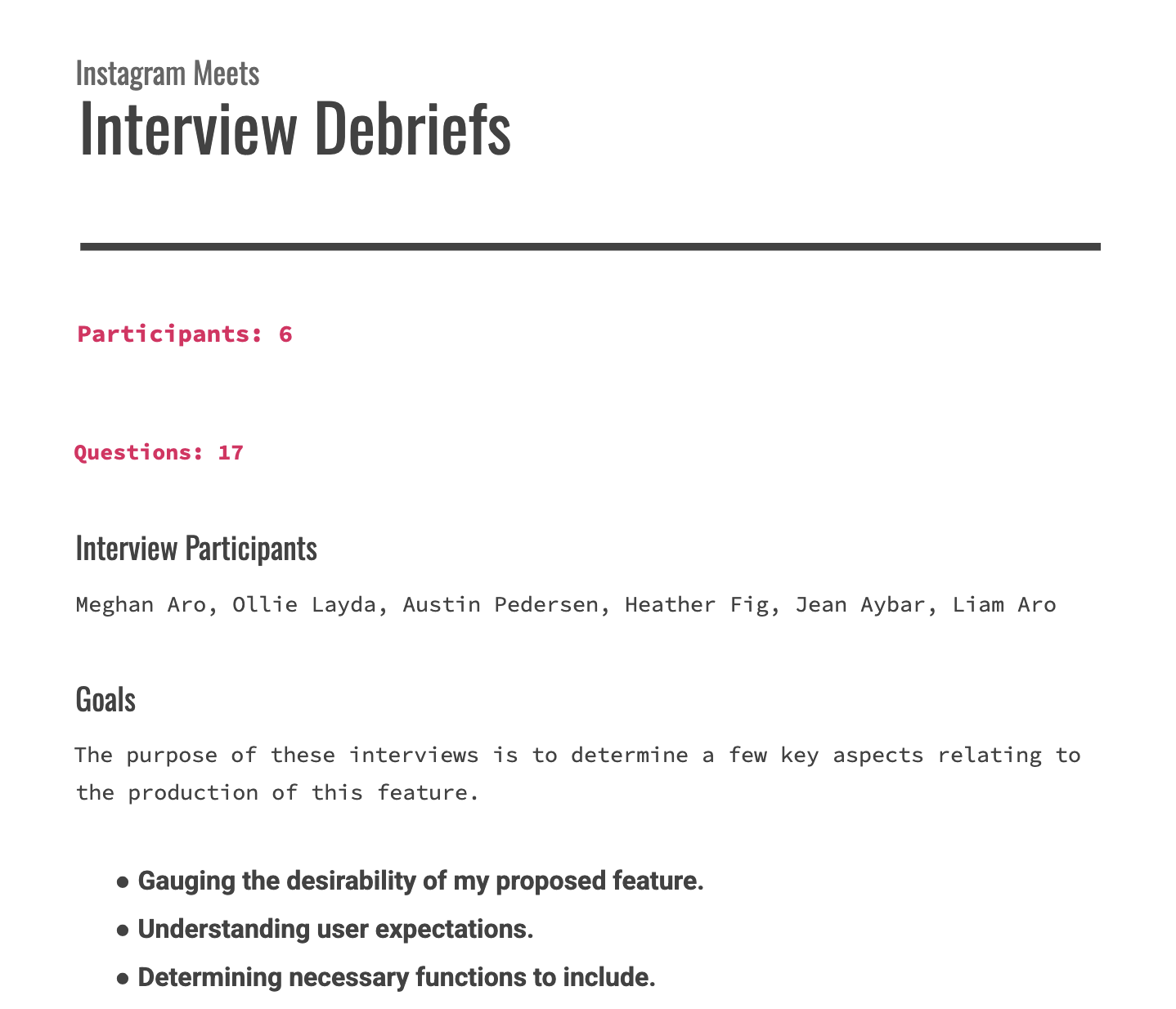
Goals:
Understand expectations and needs of users
Determine user personas
Prioritize key features for this product
Key Insights
Both local artists and their listeners are looking to establish strong connections with one another
Common sentiment suggests that top streaming services don’t prioritize their artists
Listeners sometimes struggle to find the music of the local artists in their communities
Step 3/4: Affinity Map
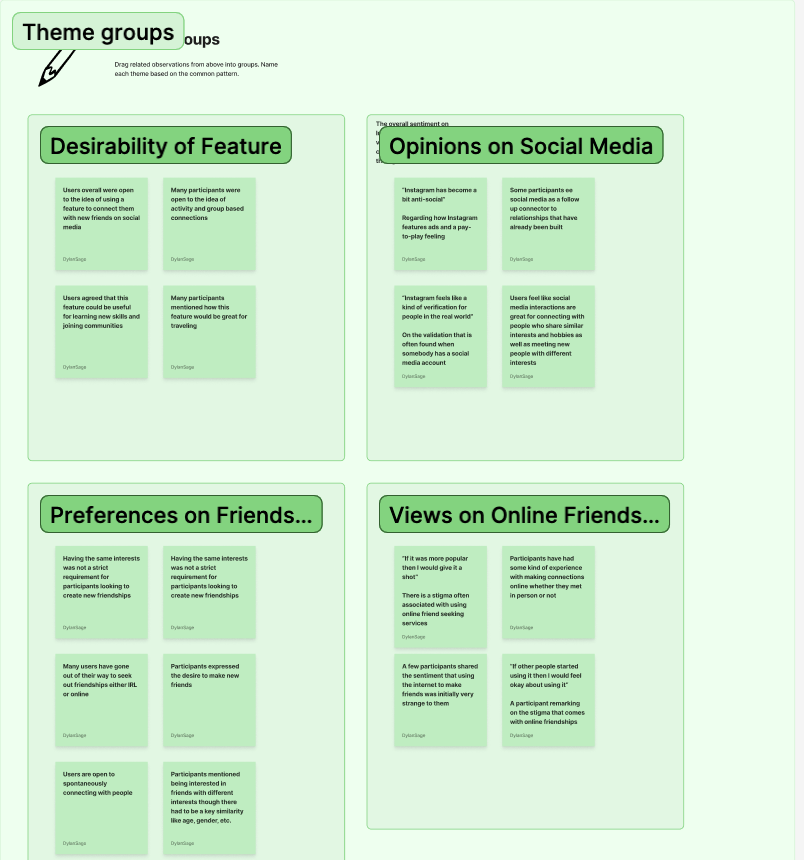
Goals:
Identify patterns and key themes
Determine pain points and HMW’s
Key Insights
There is a desire amongst social media users to create longer lasting and more authentic connections outside of the internet
Users are often skeptical about the effectiveness of friend meeting apps though they are open to trying
Trust is a key user need when considering engaging with a feature like this
Step 4/4: User Personas
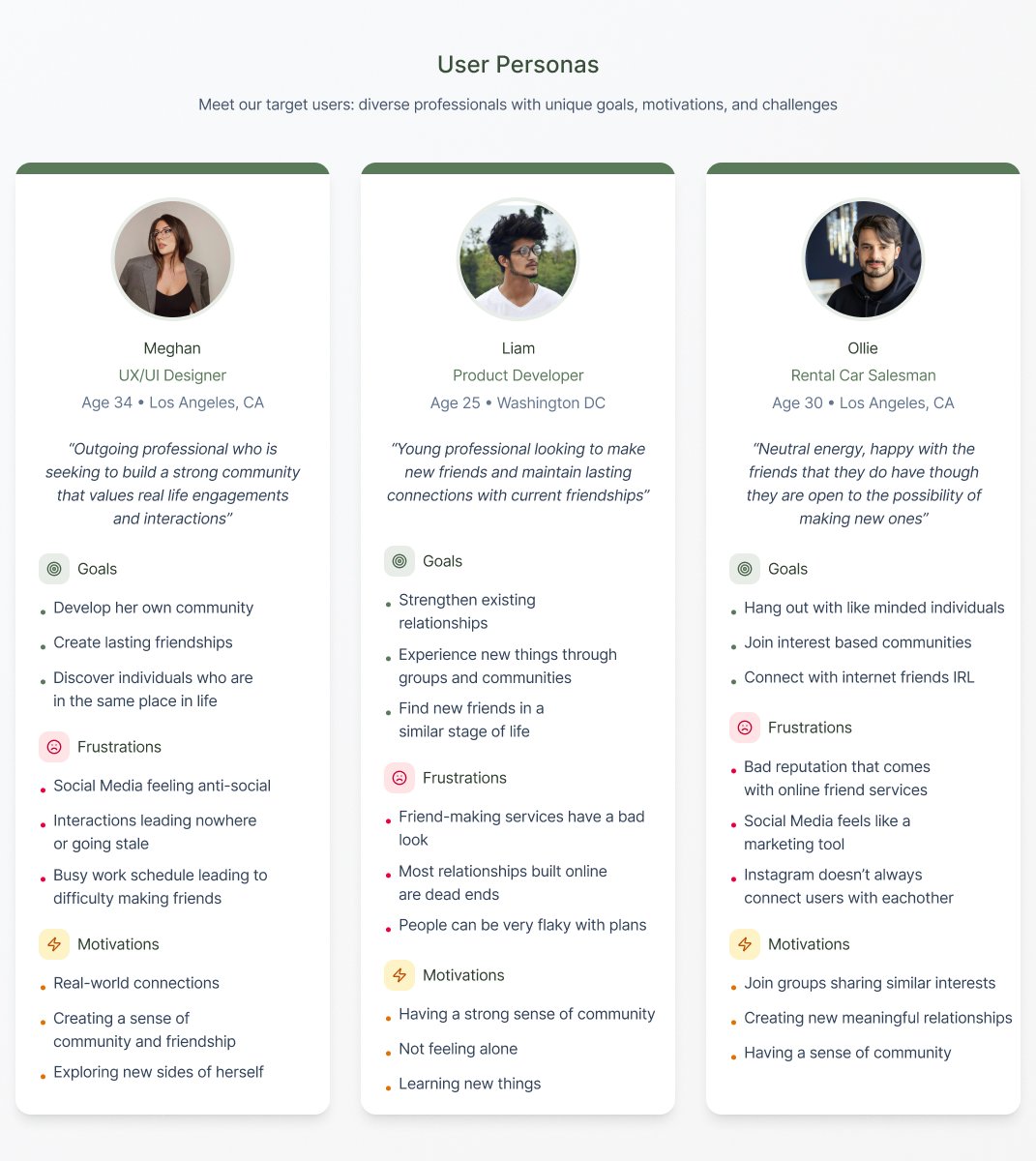
Goals:
Define target audience and users needs
Identify the scope of my product
Identify individual pain points of users and how to meet them
User Personas
Users seeking to build a strong community
Users looking to make new friends and maintain relationships
Users who are neutral and would be willing to give a product like this a try
Additional Methods of User Research
Research Plan
Business + User Goals
Problem Statements
Designing The Product
After completing my product research and analyzing the data I began to design the UI for Insta-Meets.
Design Vision
The design vision of this feature was pulled directly from the Instagram UI with small updates to the color scheme to fit my own creative direction.
The goal was to provide a familiar experience that aligned with the Instagram brand identity.
Step 1/7: User Flows
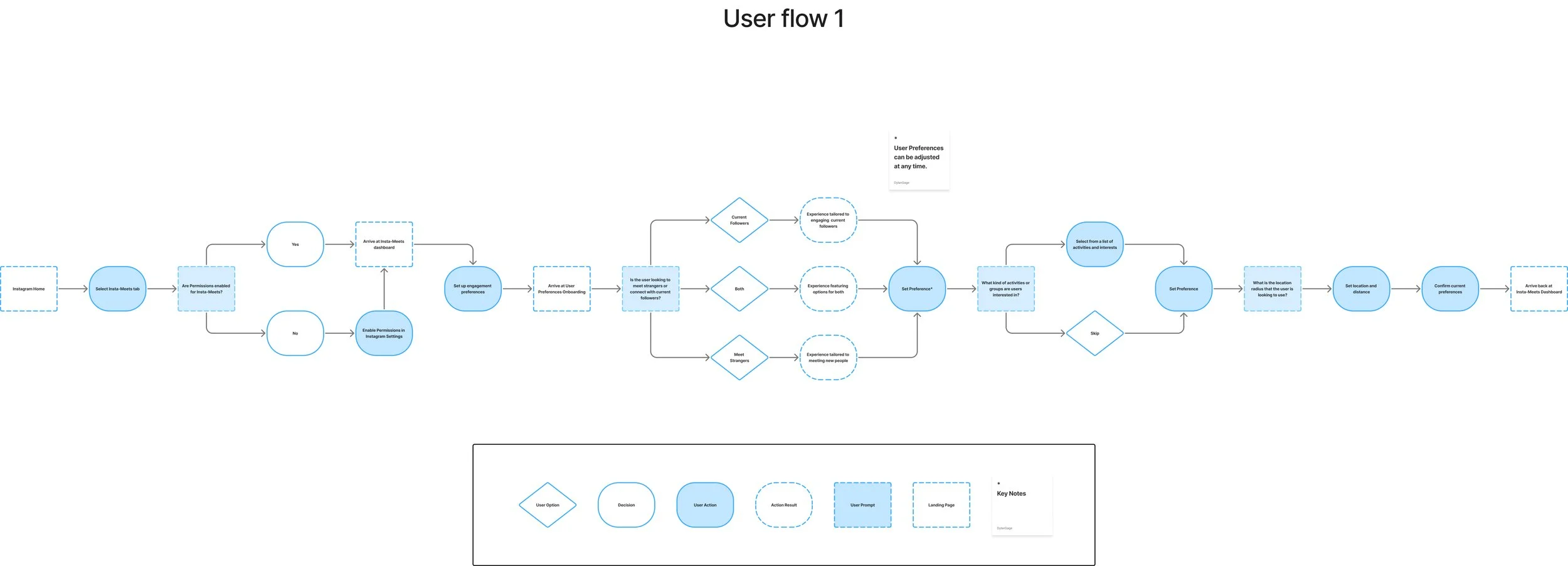
Considering I was adding a feature to an already existing product, I focused directly on creating a user flow that would navigate through the Insta-Meets onboarding and dashboard.
The user flow provided a clear navigation map for the feature that I was proposing, with this complete I set out to create wireframes.
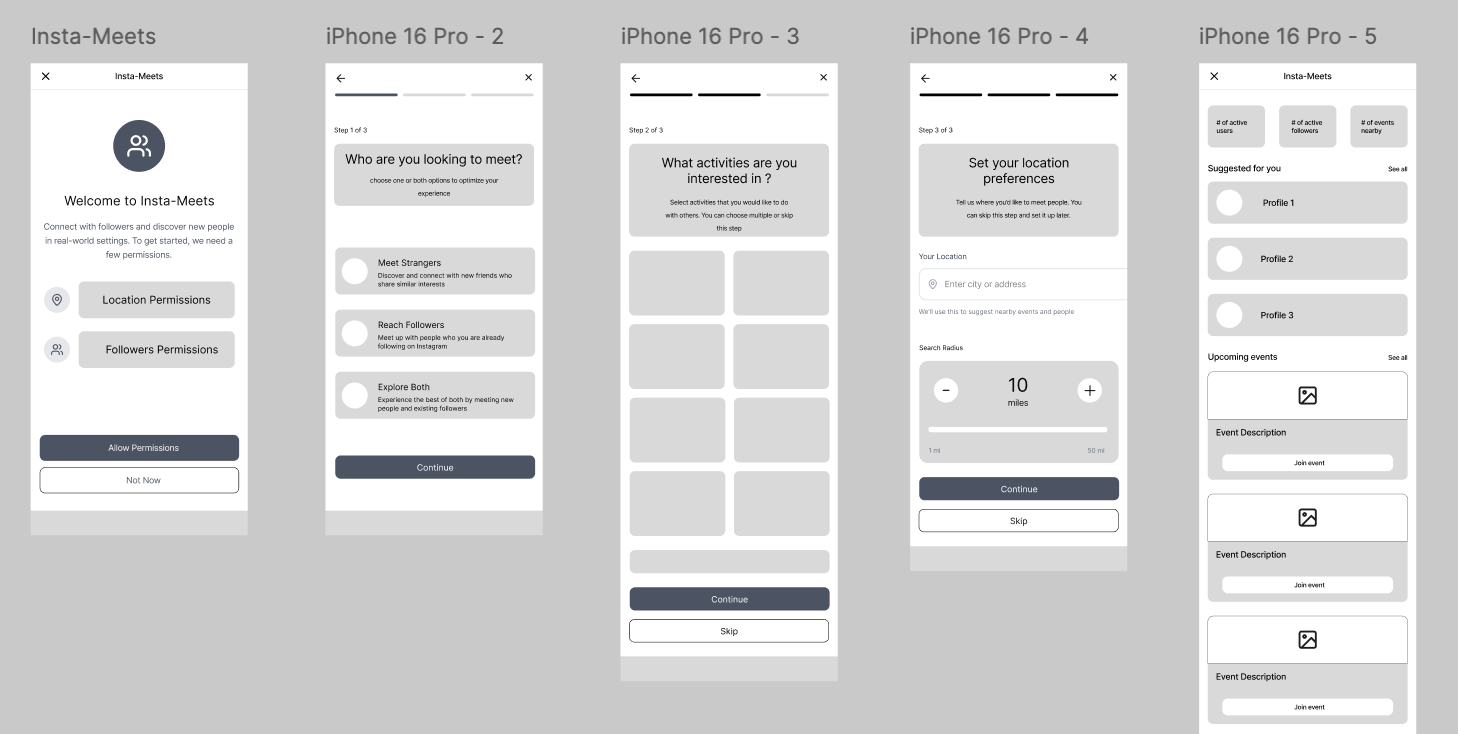
Step 2/7: Low-Fidelity Wireframes
I referenced previous design patterns utilized by Instagram as well as other products in the same field to create low-fidelity mockups of Insta-Meets
Step 3/7: Mid Fidelity Wireframes
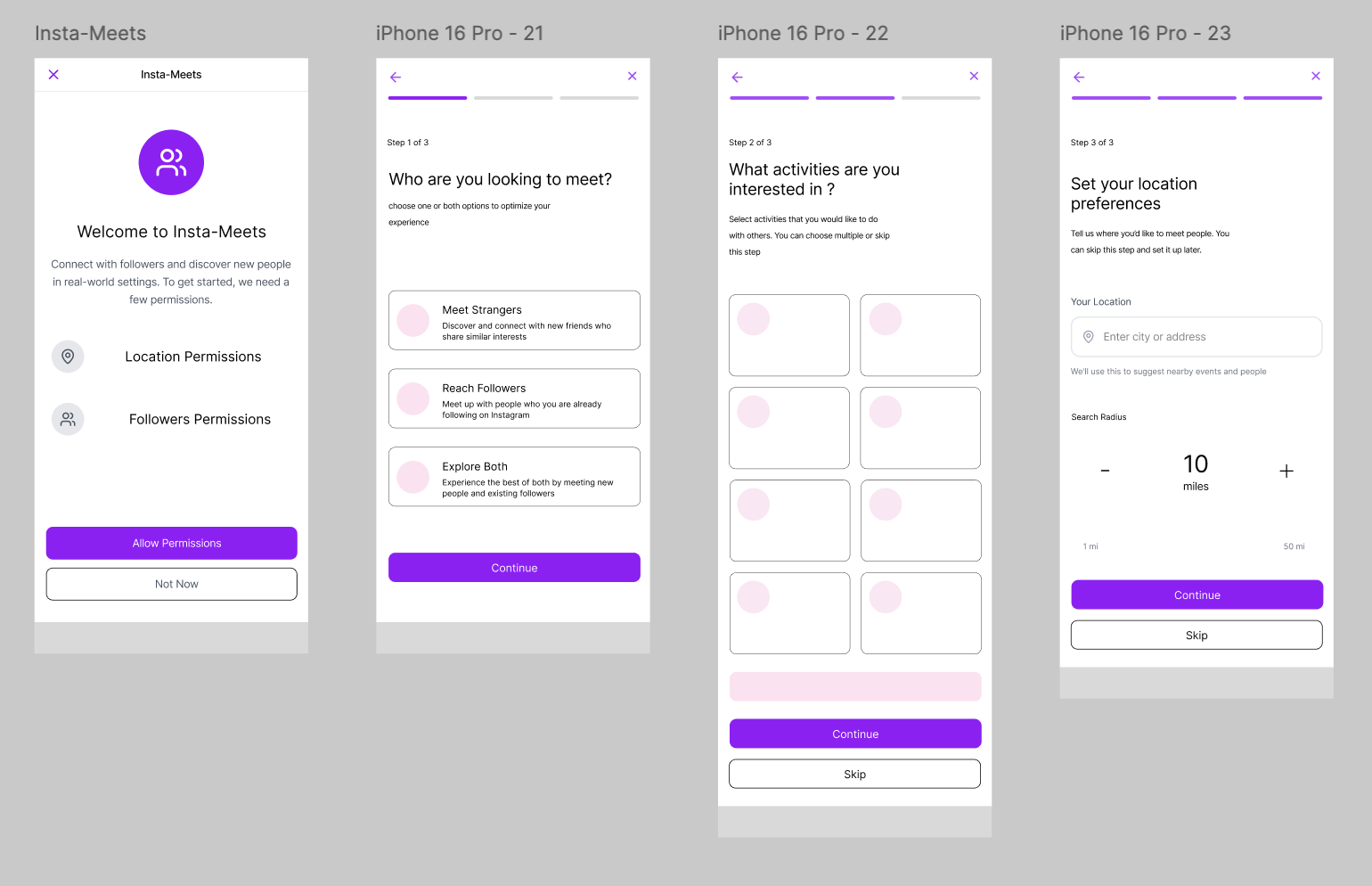
I began to apply color to my wireframes based on colors pulled from the Instagram theme. I focused on the colors they use for their logo, the purple gradient hues and used that as the foundation for my design direction.
Step 4/7: High-Fidelity Wireframes
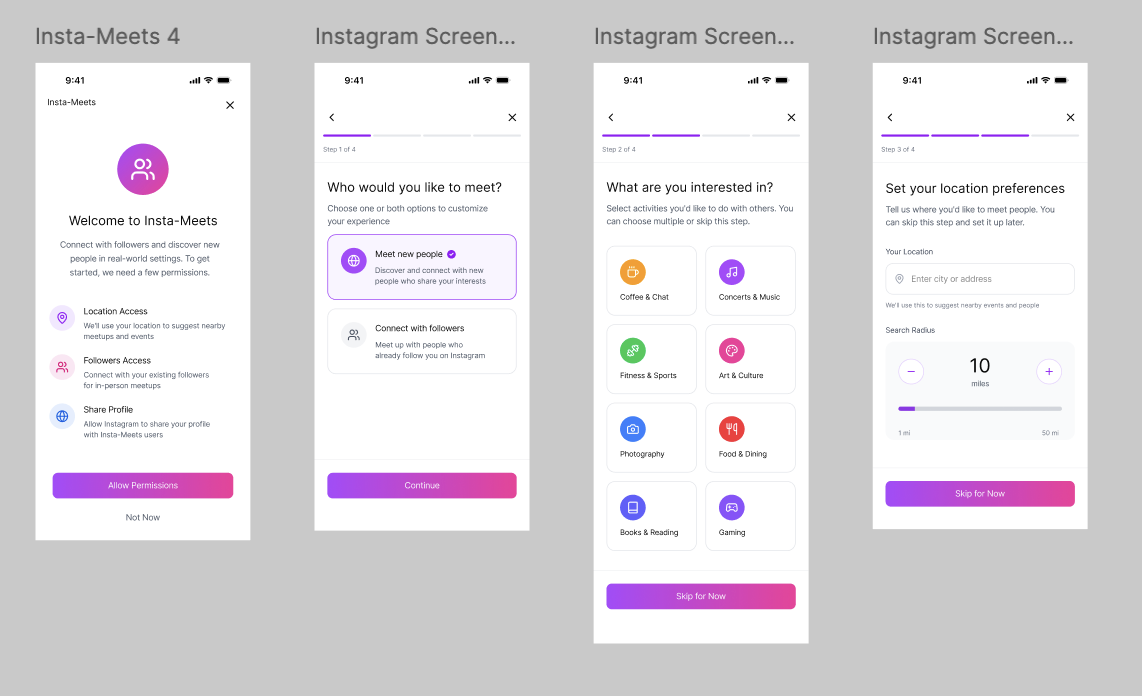
The next step was to continue applying the color scheme and key information to the wireframes to create a cohesive structure of what the Insta-Meets feature would look like.
Once I was satisfied with the overall look and layout I set out to create a clickable prototype for user testing purposes.
Step 5/7: Prototyping and User Testing
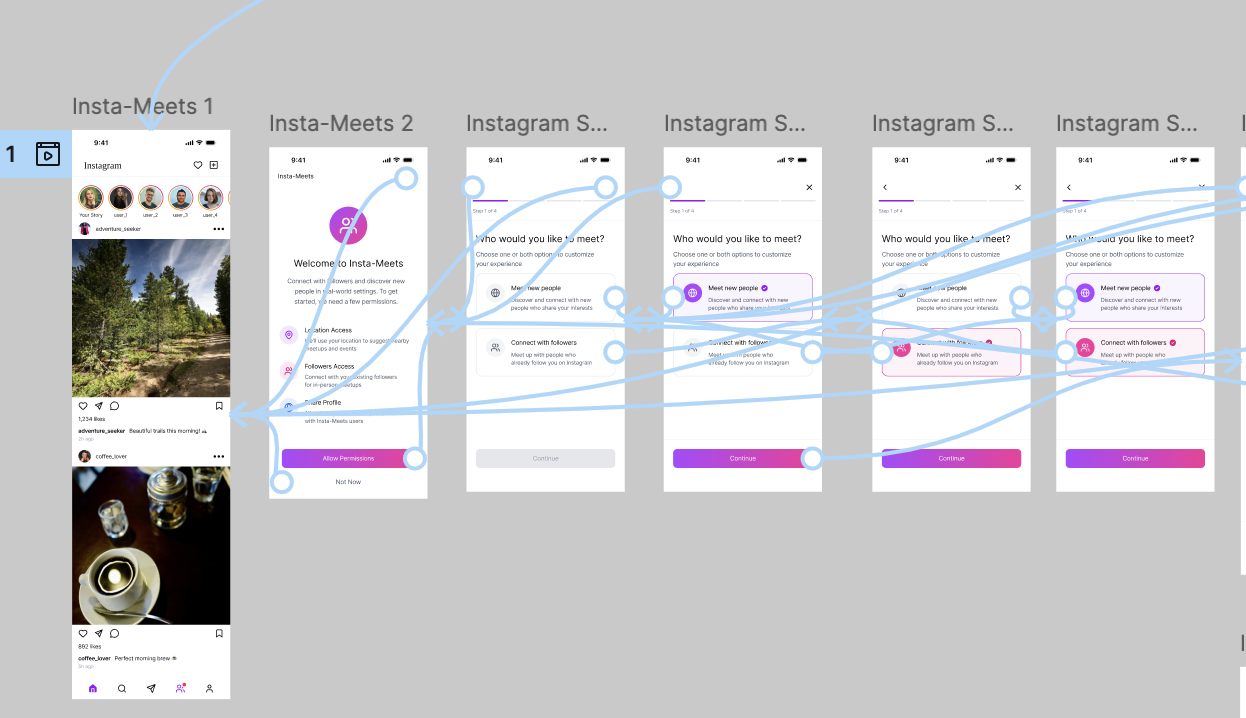
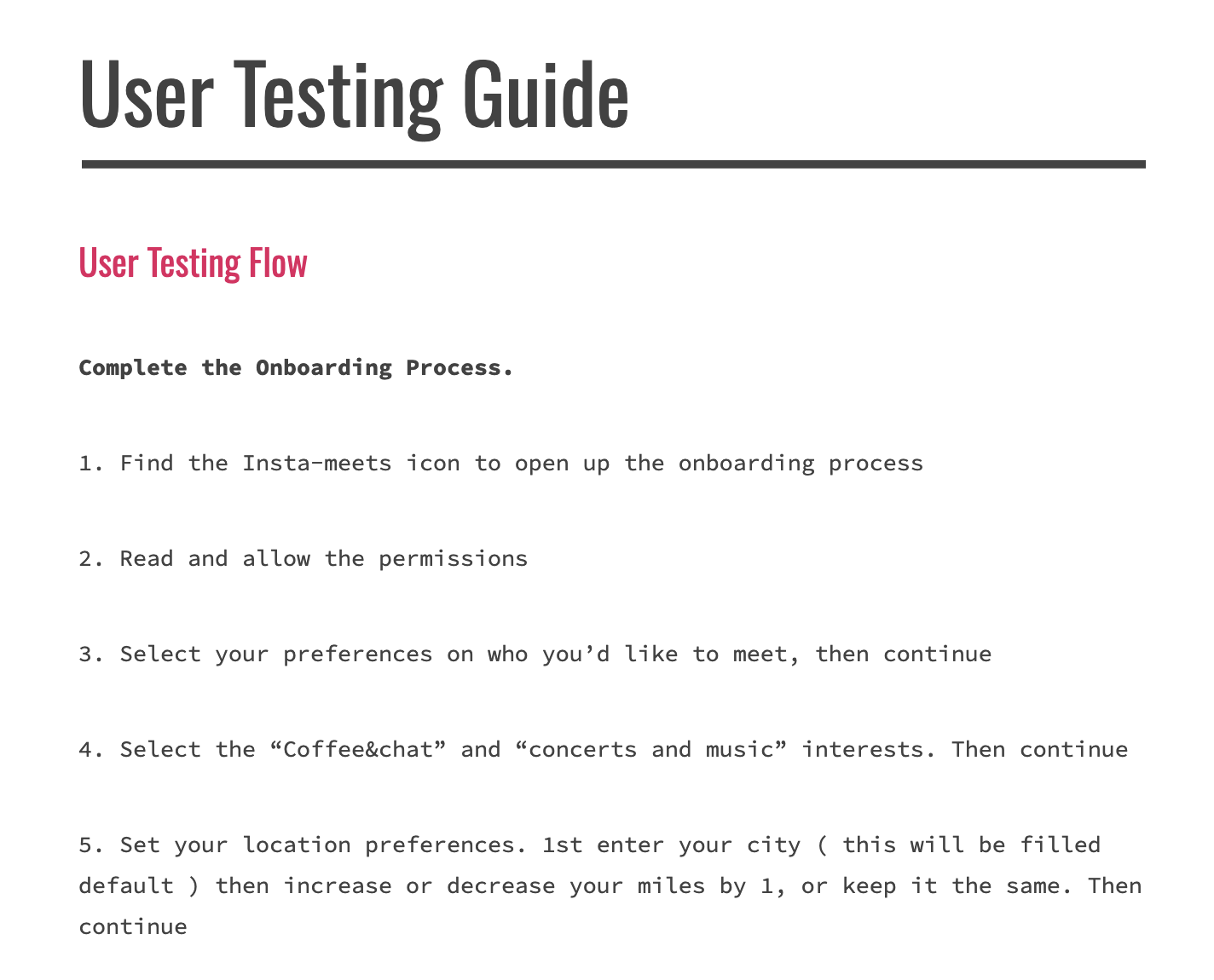
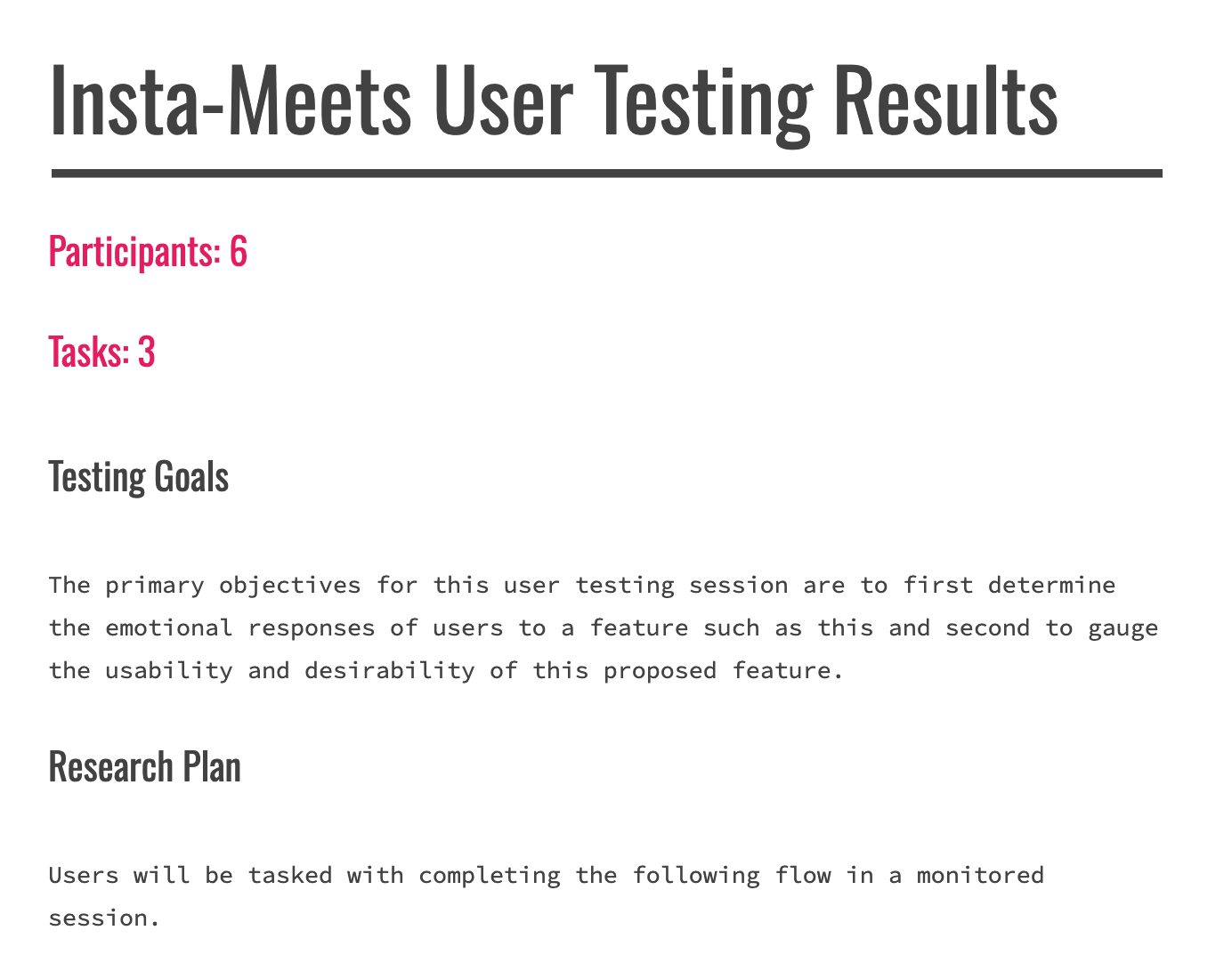
Next I created clickable prototypes to be used for user testing in order to gather useful feedback and insights.
User Testing
Goals:
Understand how users expect to move through a feature like this
Identify any hang-ups or problems in the navigation
Discover any possible updates or improvements to be made
Key Insights
Users felt as though the Insta-Meets feature was intuitive and could fit right into the Instagram app
Navigation was simple and clear for users and they accomplished all tasks with ease in a timely manner
One user suggested to include a bio for the user profile as a way to encourage user engagement
Step 6/7: Priority Revisions
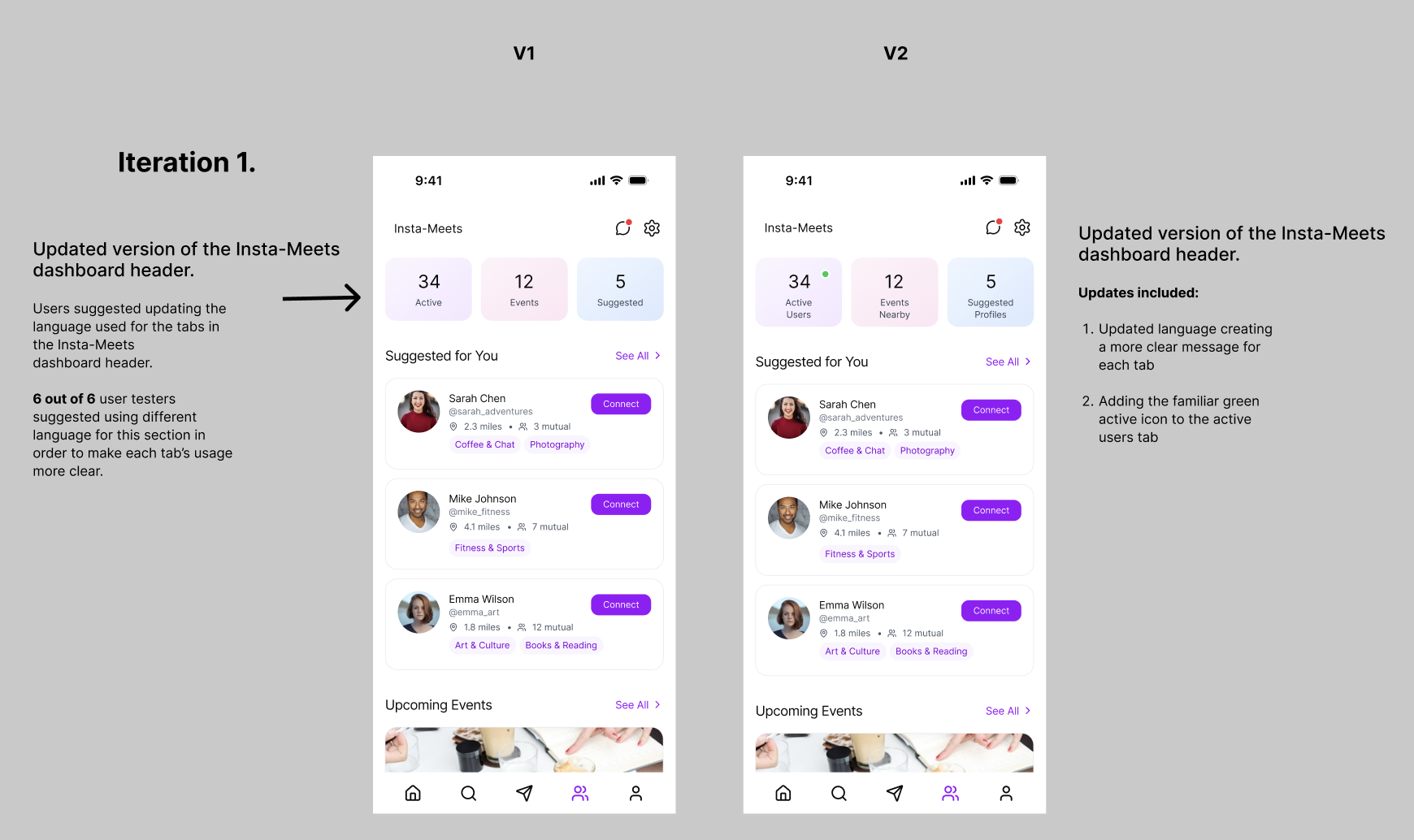
User testing provided key insights and data points to improve upon my design. I implemented those design changes then discussed them with peers and my mentor.
Revisions included and were not limited to:
Clarifying the use of the Insta-Meets dashboard header boxes
Adding user profile bios and summaries in the “Connect” with user action
Adjusting the language used in the flow to more clearly represent what users were doing
Step 7/7: Highest Fidelity
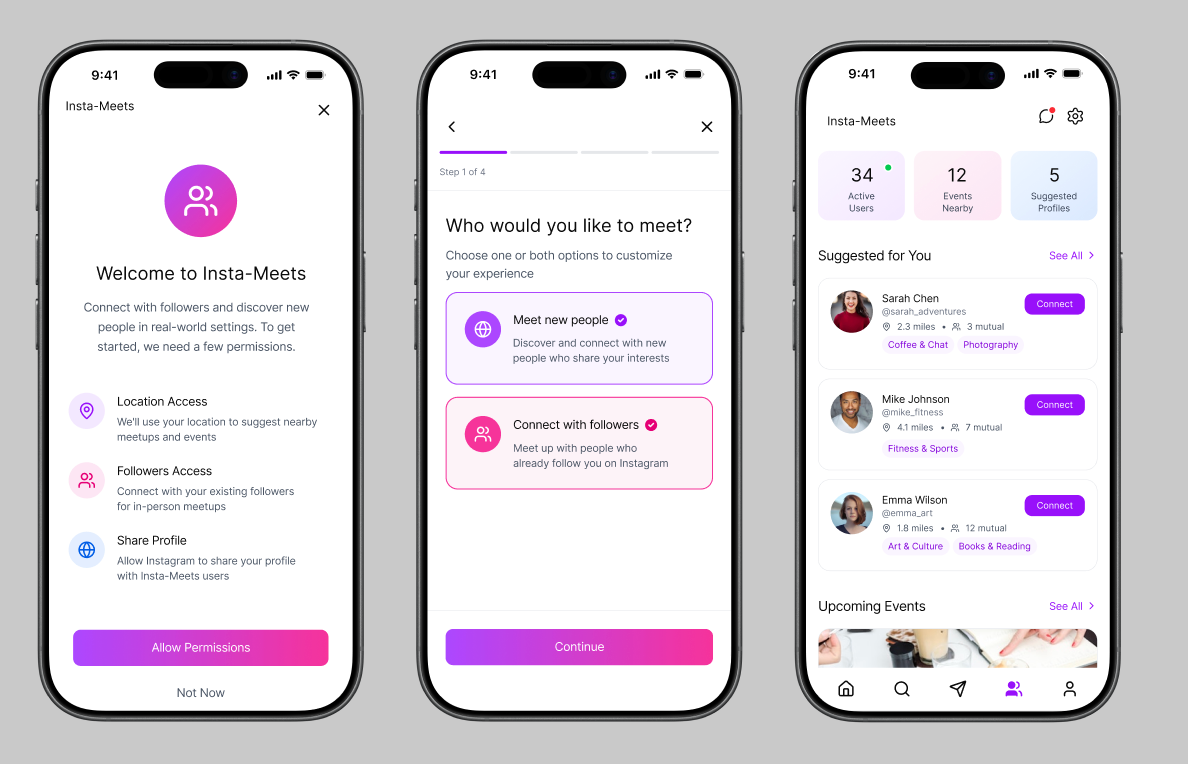
Once I completed my user testing and implemented my priority revisions I finalized the current version of Insta-Meets and prepared it for handoff.
Additional Methods used for Product Design
Mood Board
Feature Set
UI Kit
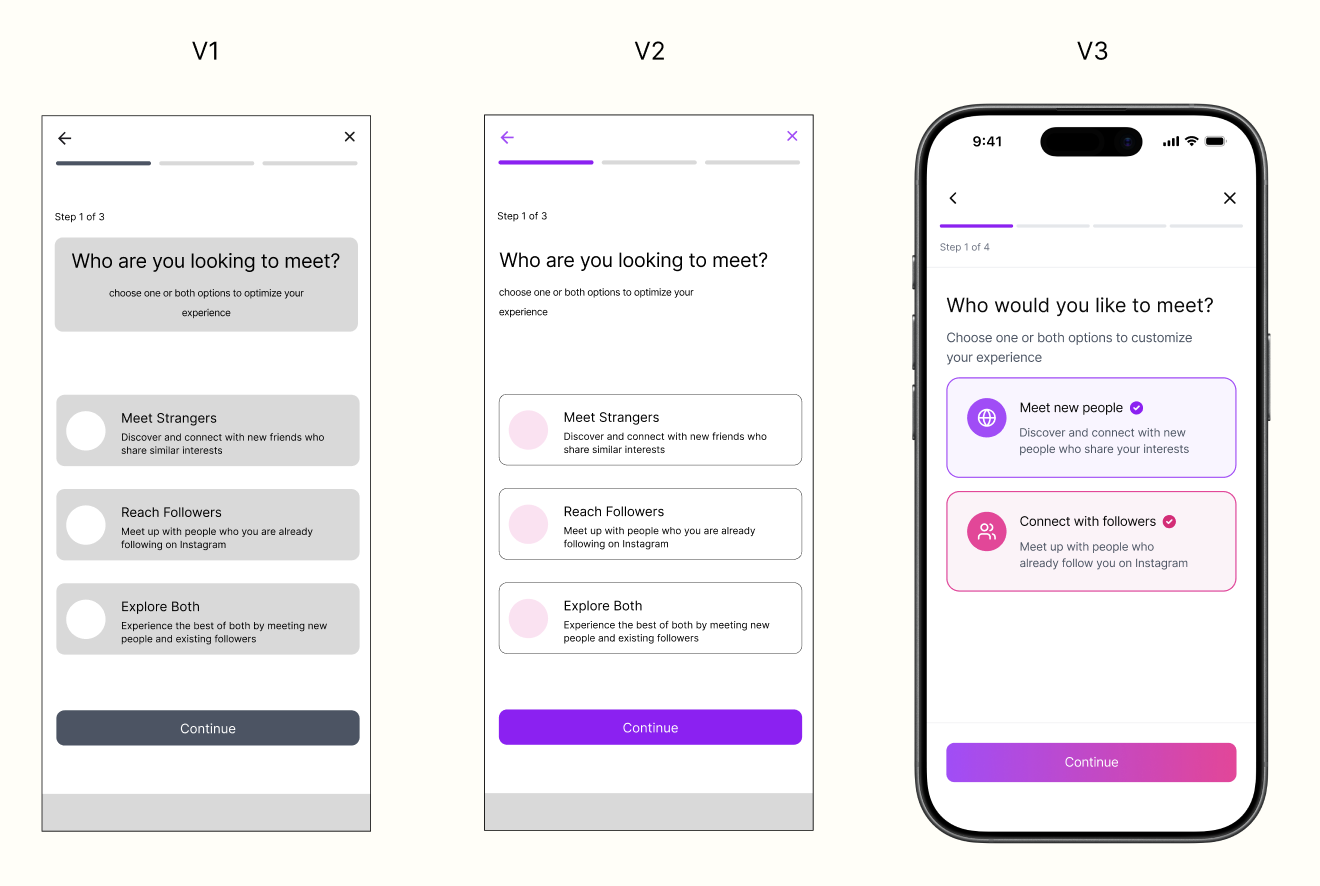
User and mentor feedback was heavily considered and implemented throughout the process of designing each version of the wireframes.
Version Timeline
Next Steps and Lessons Learned
Next Steps
Continue to conduct user testing and priority revisions as updates are implemented.
Experiment with other potential layouts and color schemes
Lessons Learned / Reflections
I would have liked to have had more time to interview a larger range of participants to gain an even deeper understanding of how users connect with social media
Through user research I discovered even further how important the psychology behind a social media platform is to the users, how they feel using it is everything
This product was created for the DesignLab UX/UI course. It showcases an in-depth understanding of various user research methods as well as proficiency in user interface practices.