
Tunear Streaming Service
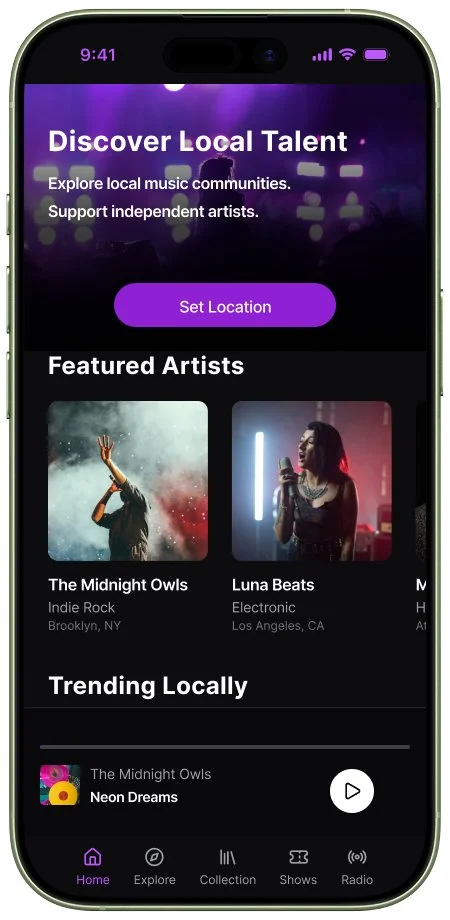
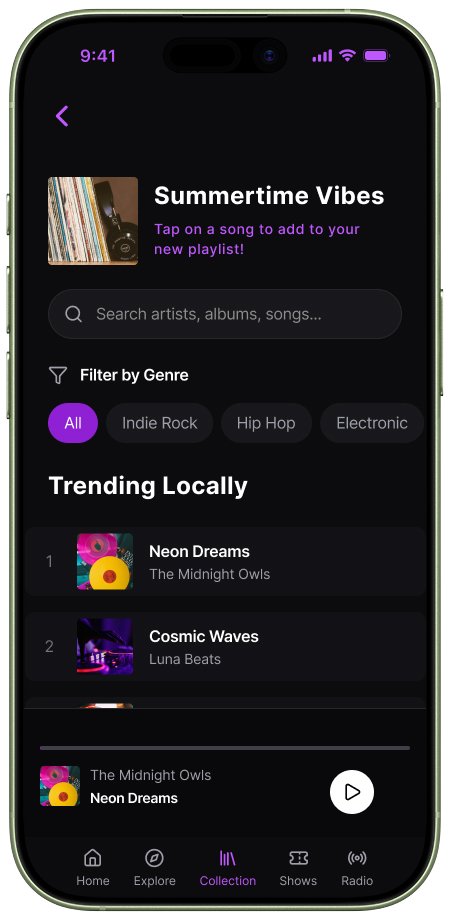
Tunear is a streaming service that focuses on connecting independent artists with their local community through song exposure and live-show promotion.
Product Type
Mobile First App
Role
End To End Designer
Tools Used
Figma, Figjam,
Figmake
Duration
5 Weeks
Problem
In the modern age of music streaming often independent upcoming artists can get lost in a swamp of sponsored and trending music. They can be disconnected from the very communities that they are living in and miss out on potential support and connection.
Solution
I created a product that focuses on connecting independent artists with their local communities. The streaming service utilizes gps locating to curate listening experiences for users and promote artists based on the communities that they are a part of.
Conducting Research
The first step for creating the Tunear streaming service was to conduct market and user research in order to define the product.
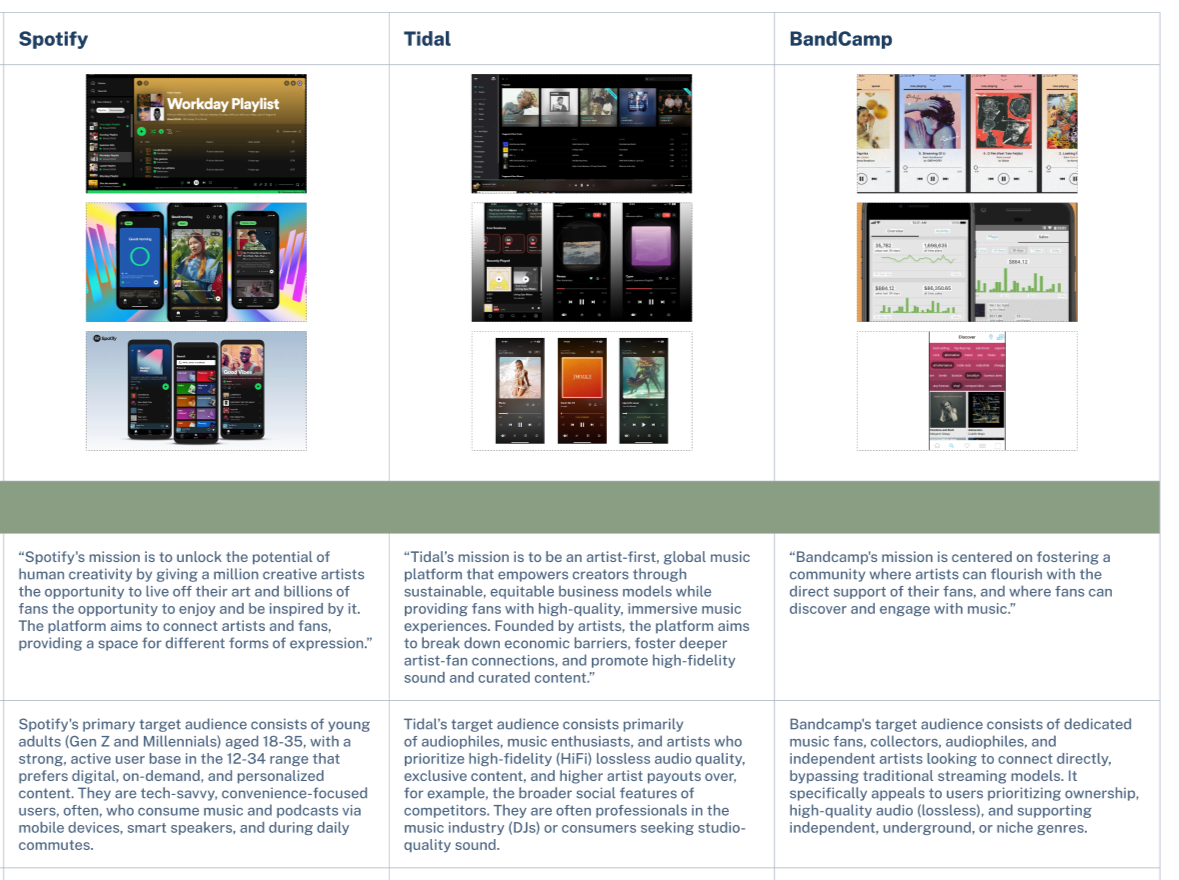
Step 1/4: Competitive Analysis
Goals:
Identify key features and best practices used by current products that align with the goals that I am trying to achieve.
Key Insights
Bandcamp is the most comparable service to my proposed platform
Ticket and merchandise sales help drive engagement and artist profits
Playlist creation and sharing is a favorite feature for top streaming services
Independent artists are often underrepresented on top streaming services
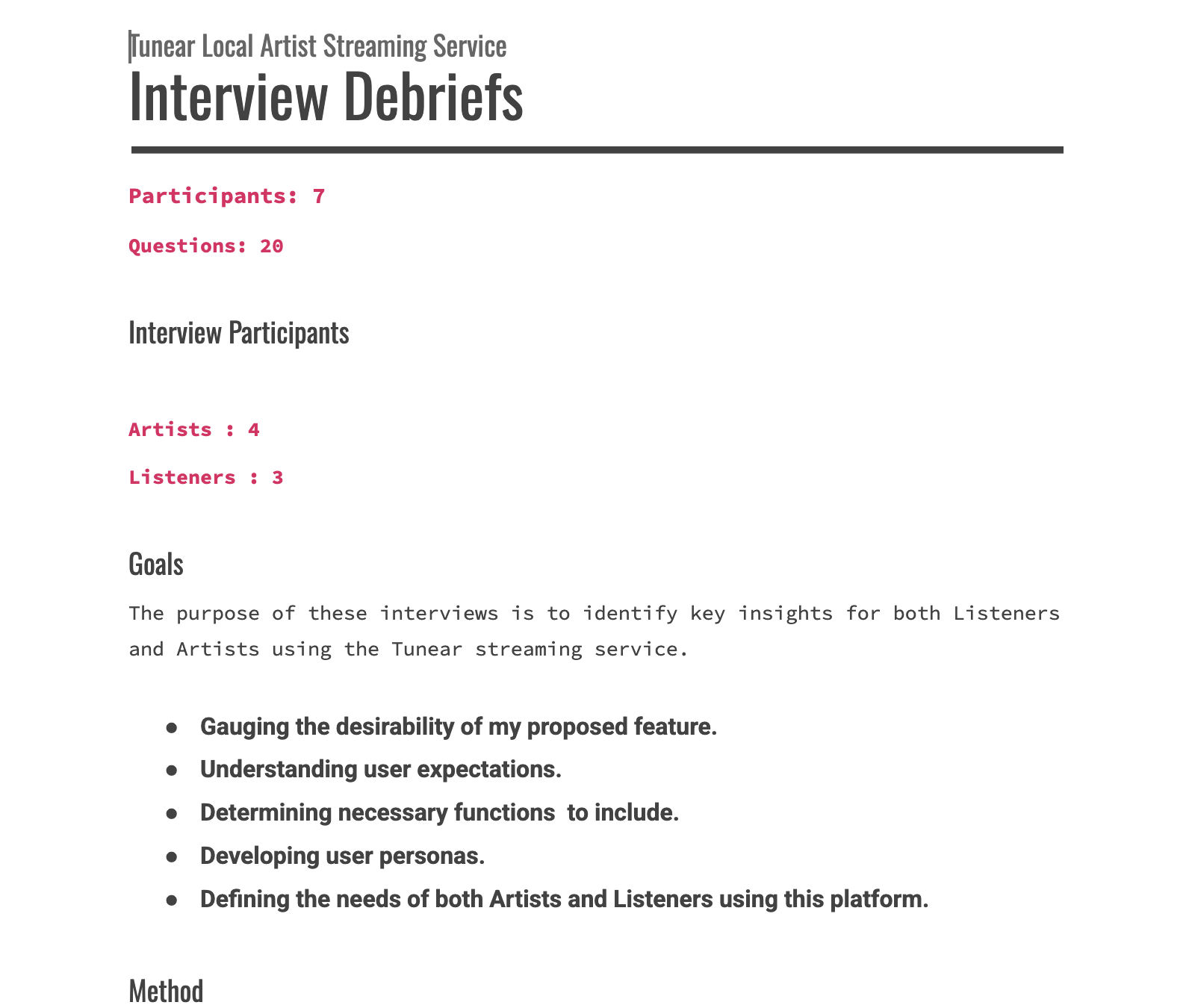
Step 2/4: User Interviews
Goals:
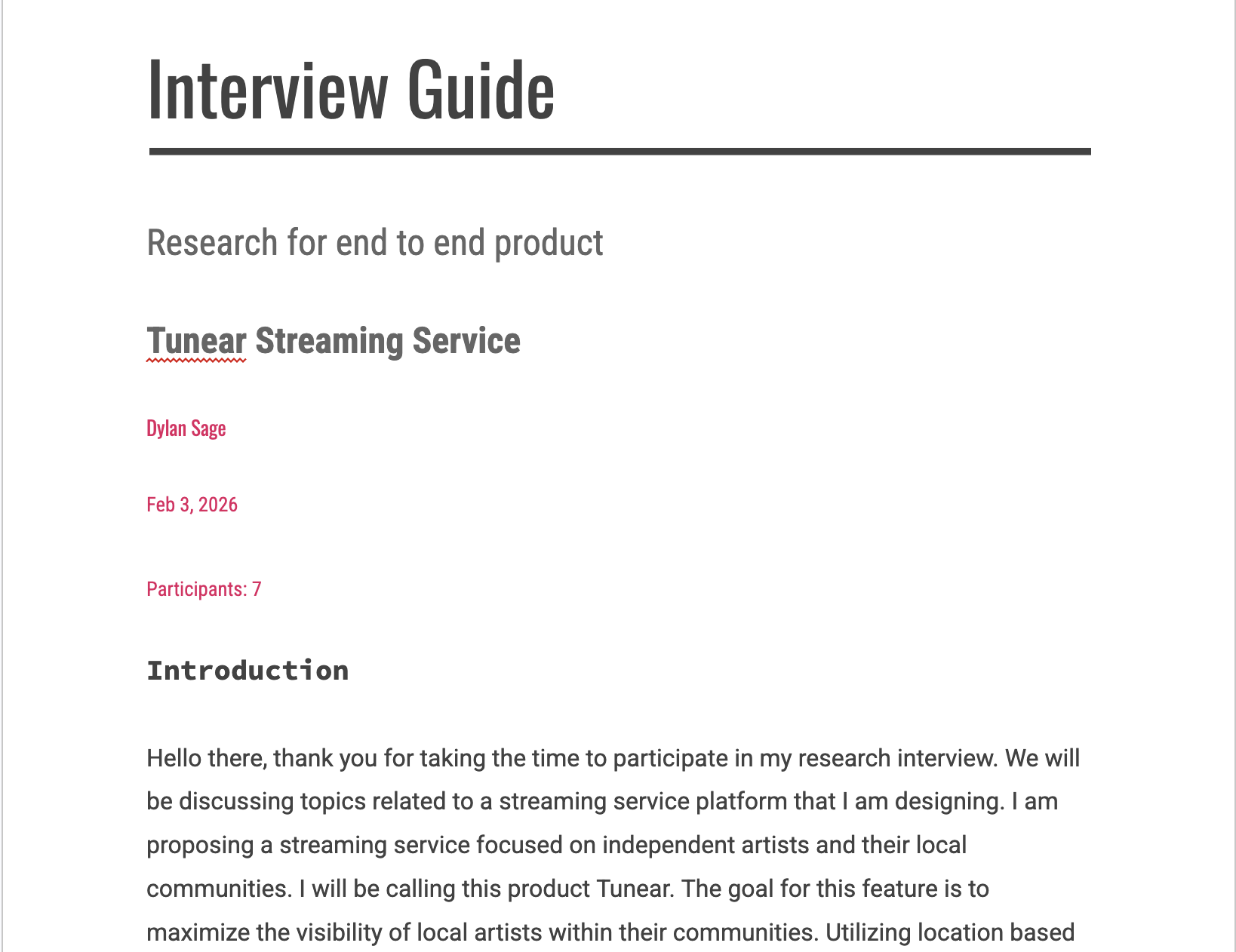
Understand expectations and needs of users
Determine user personas
Prioritize key features for this product
Key Insights
Both local artists and their listeners are looking to establish strong connections with one another
Common sentiment suggests that top streaming services don’t prioritize their artists
Listeners sometimes struggle to find the music of the local artists in their communities
Step 3/4: Affinity Map
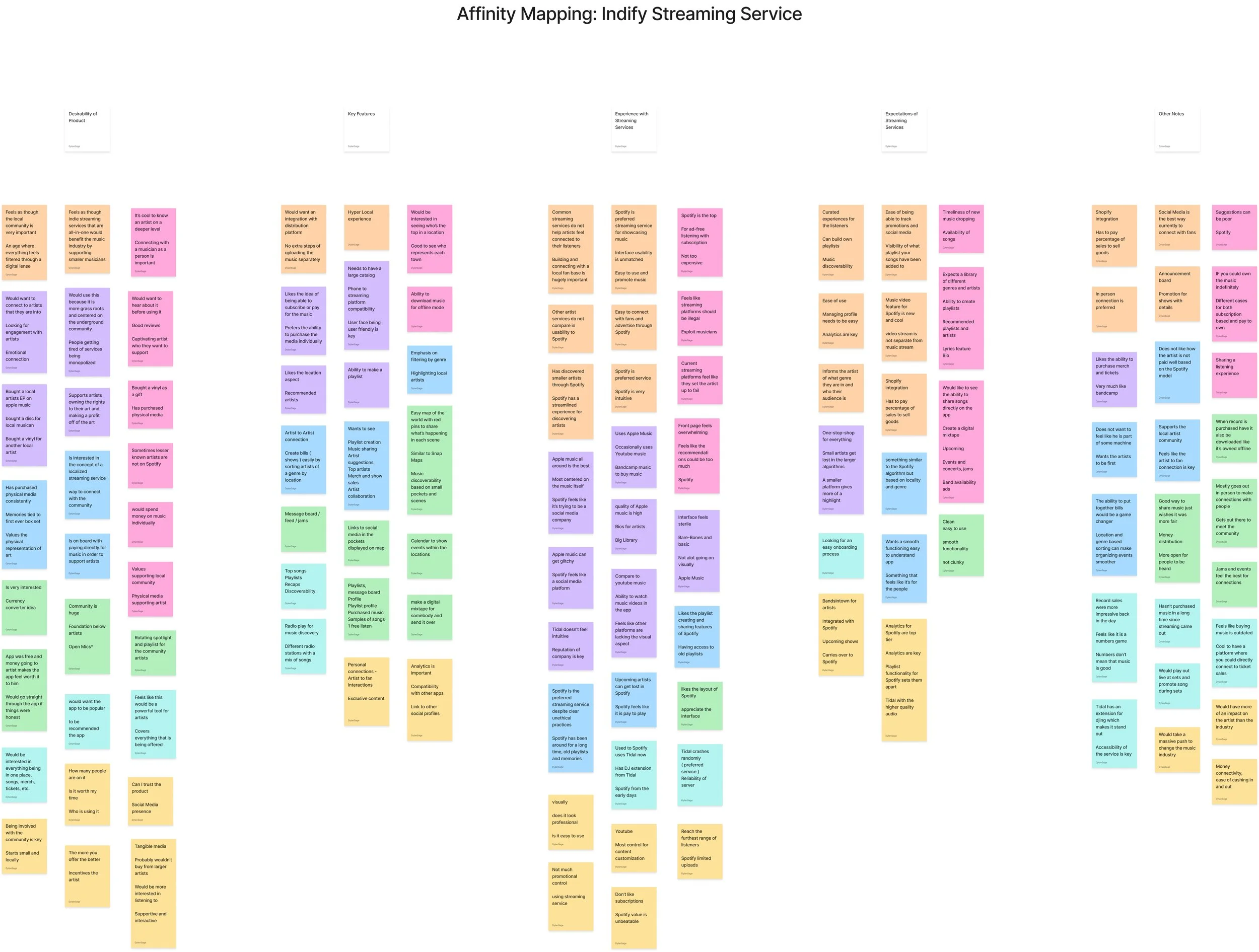
Goals:
Identify patterns and key themes
Determine pain points and HMW’s
Key Insights
The product is desirable to artists and listeners filling in an empty space of independent focused streaming
GPS Location based music scenes are a key selling point
Fans want to know what smaller local artists are up to
Exposure, promotion and sales all benefit the artist
Listeners find the connection to their musical community to be valuable and worthwhile
Step 4/4: User Personas
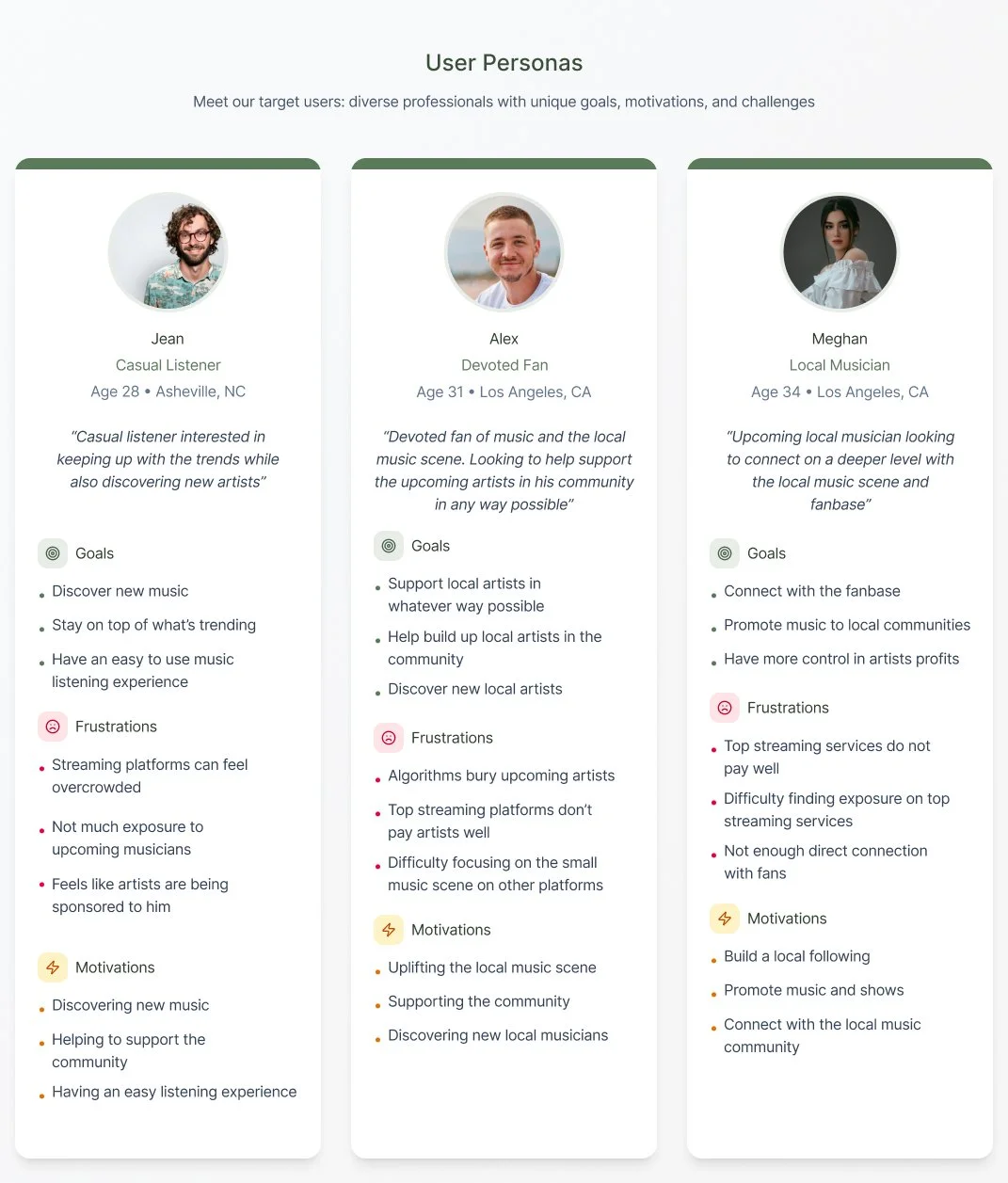
Goals:
Define target audience and users needs
Identify the scope of my product
Prioritize features of the product and hierarchy of problems to solve
User Personas
Casual Listeners
Devoted Fans
Local Musicians
Additional Methods of User Research
Research Plan
Business + User Goals
Designing The Product
After completing my product research and analyzing the data I began to design the UI for Tunear.
Design Vision
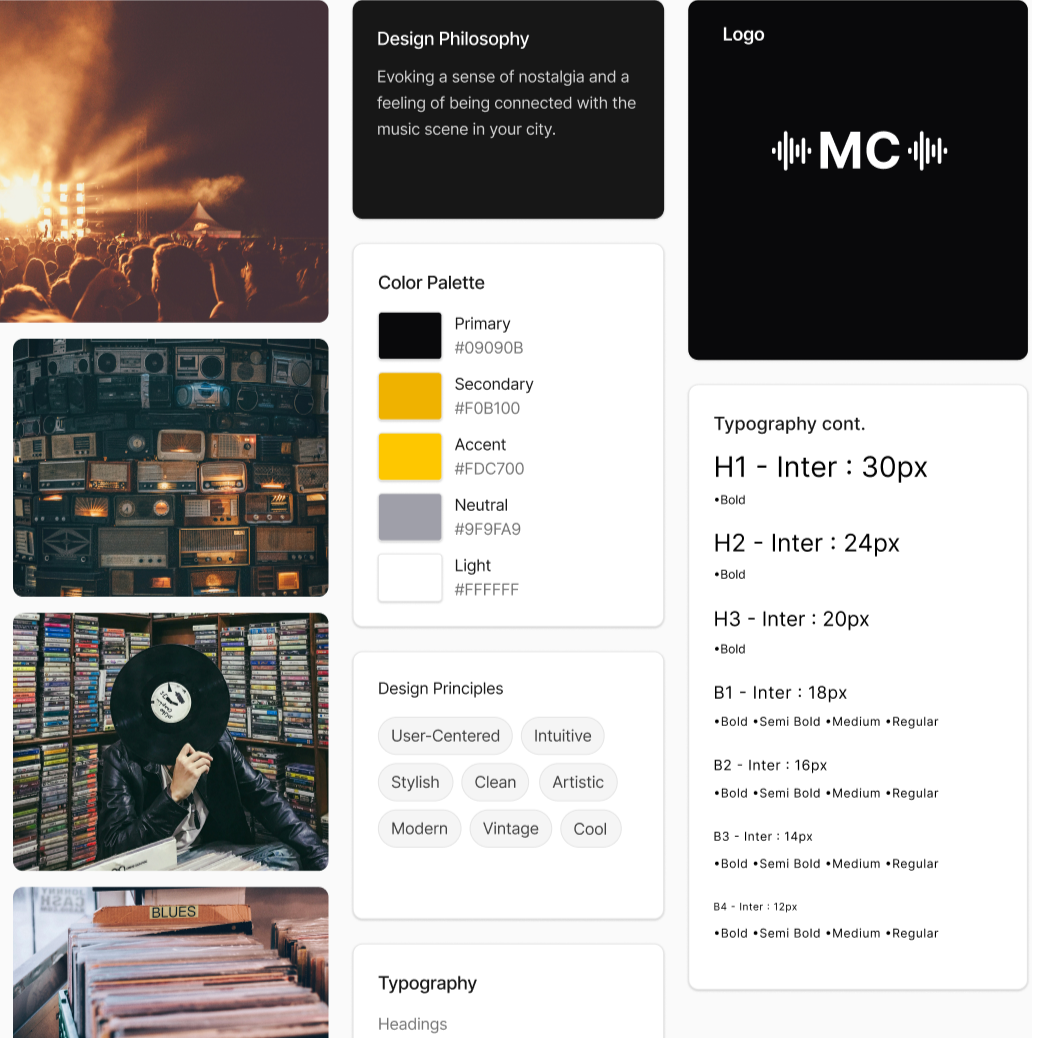
The visual direction for this product is aimed at invoking a sense of nostalgia and style.
I wanted to provide that cool classic music store feeling while also maintaining a modern look.
Color and Typography
Step 1/7: Style Tile
The design for this product was heavily inspired by the Ultimate Guitar Tabs app. I aimed to create an accessible and stylish design that evoked the cool feeling of being at a music store with a touch of modern aesthetic.
The name of the product changed in the very last minute of this project as well as the logo and color scheme. These changes are not reflected in the style tile here but are reflected in the screenshots provided.
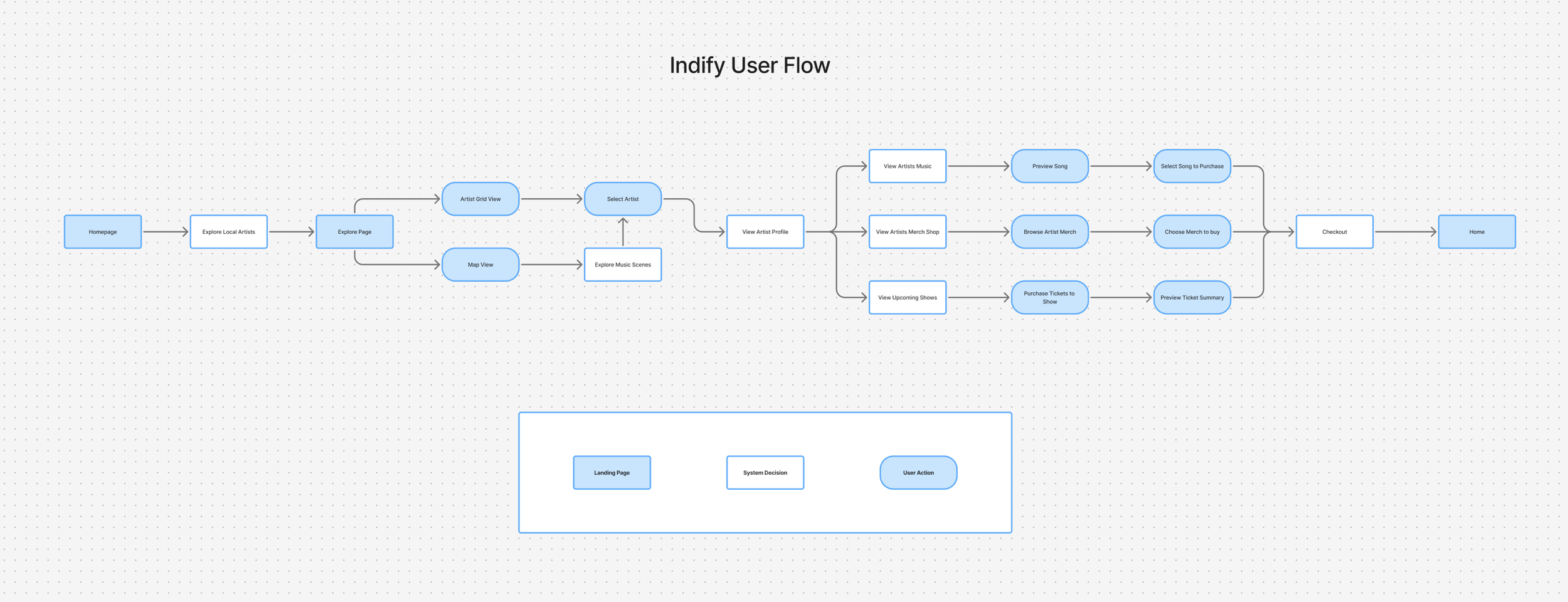
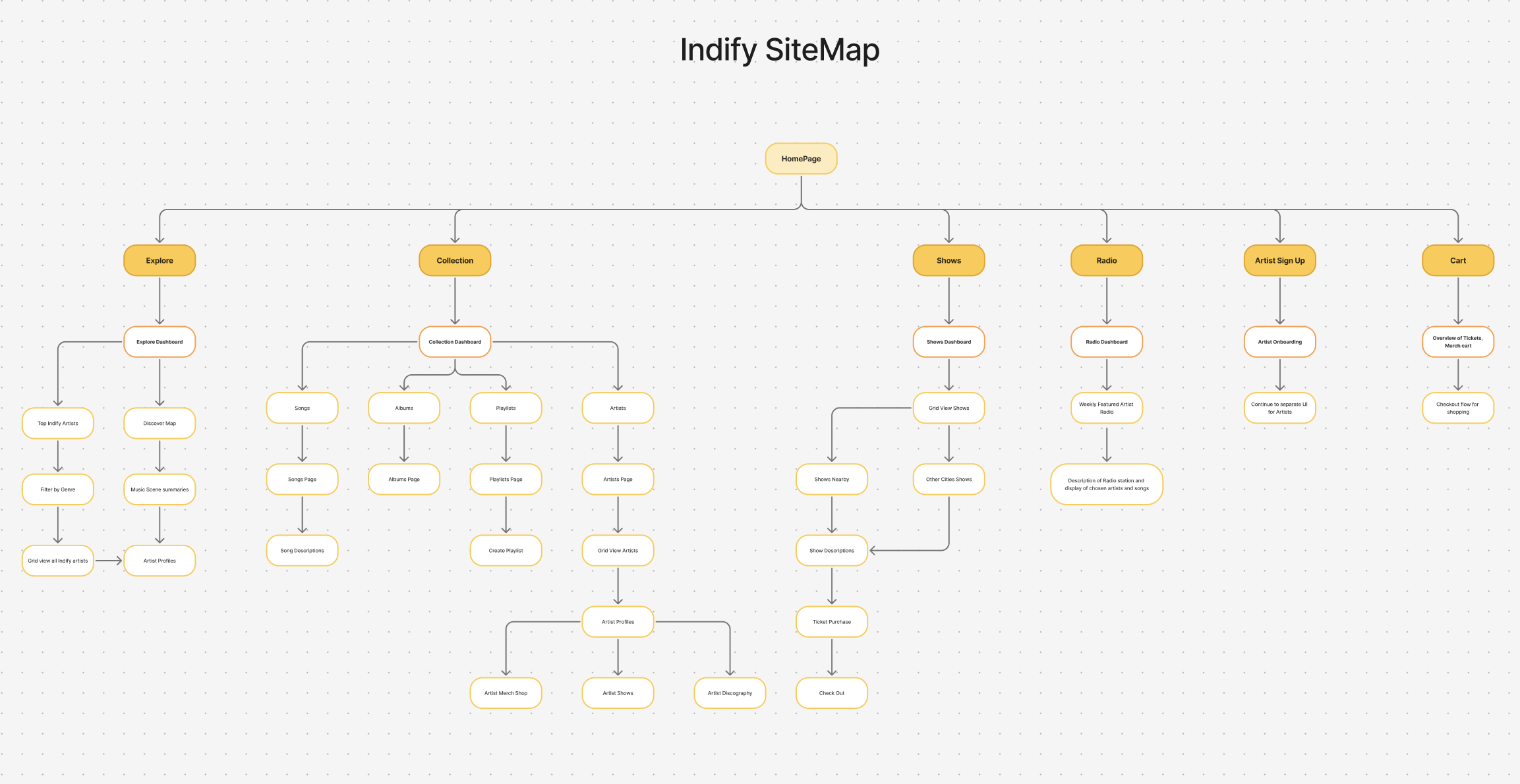
Step 2/7: User Flow and Site Map
In order to map out the navigation and flow of my product I created user flows and a Site Map. These flows were strongly based off of best design practices used in the top streaming services.
Due to time constraints I focused primarily on the Site-Map to create my layout as well as a single user flow to help produce key pages.
Step 3/7: Low-Fidelity Wireframes
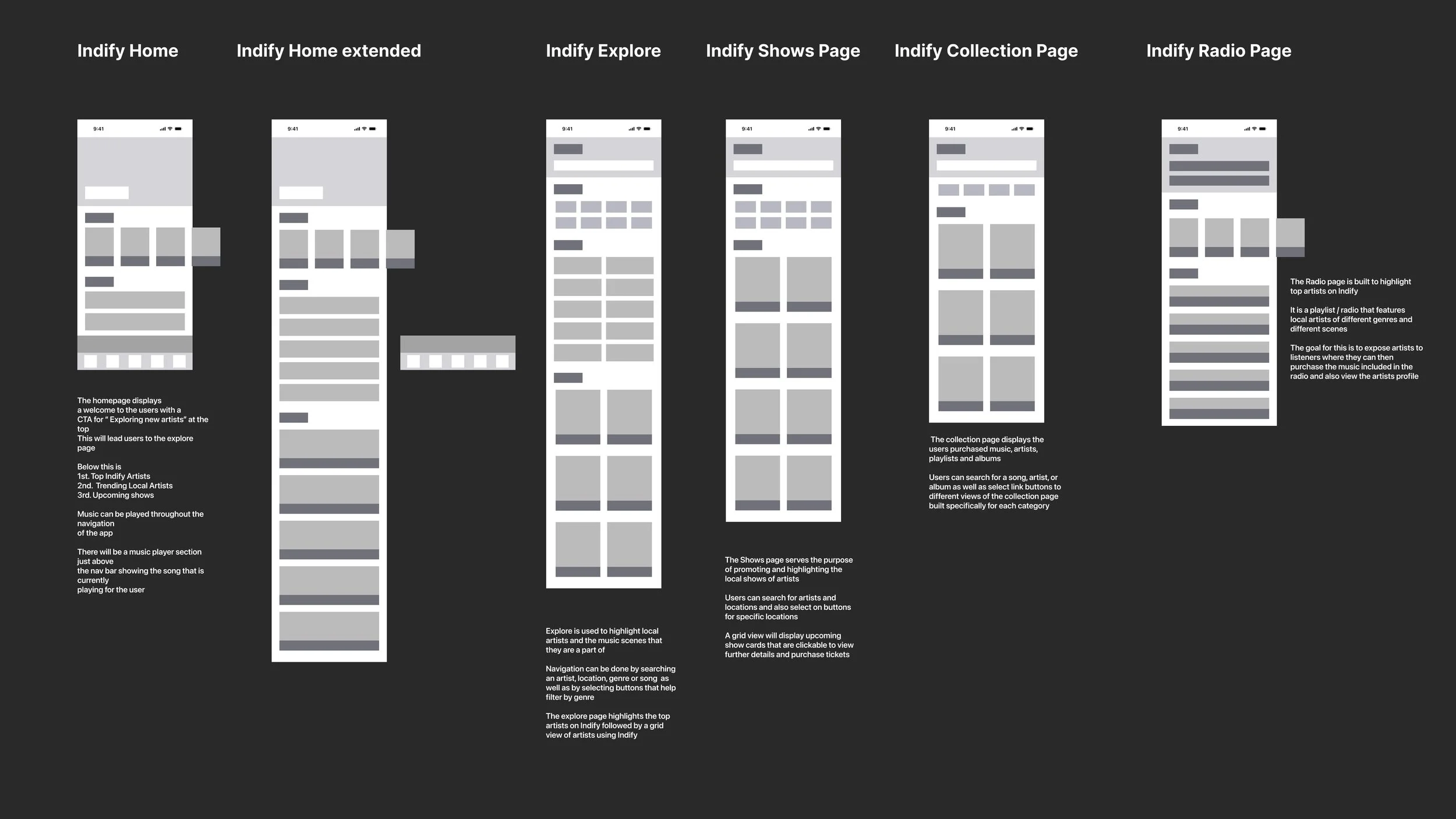
After referencing best practices and patterns from similar products I began to mock up digital sketches.
Products referenced include
Spotify
Pandora
Bandcamp
Tidal
Apple Music
Step 4/7: Mid to High-Fidelity Wireframes
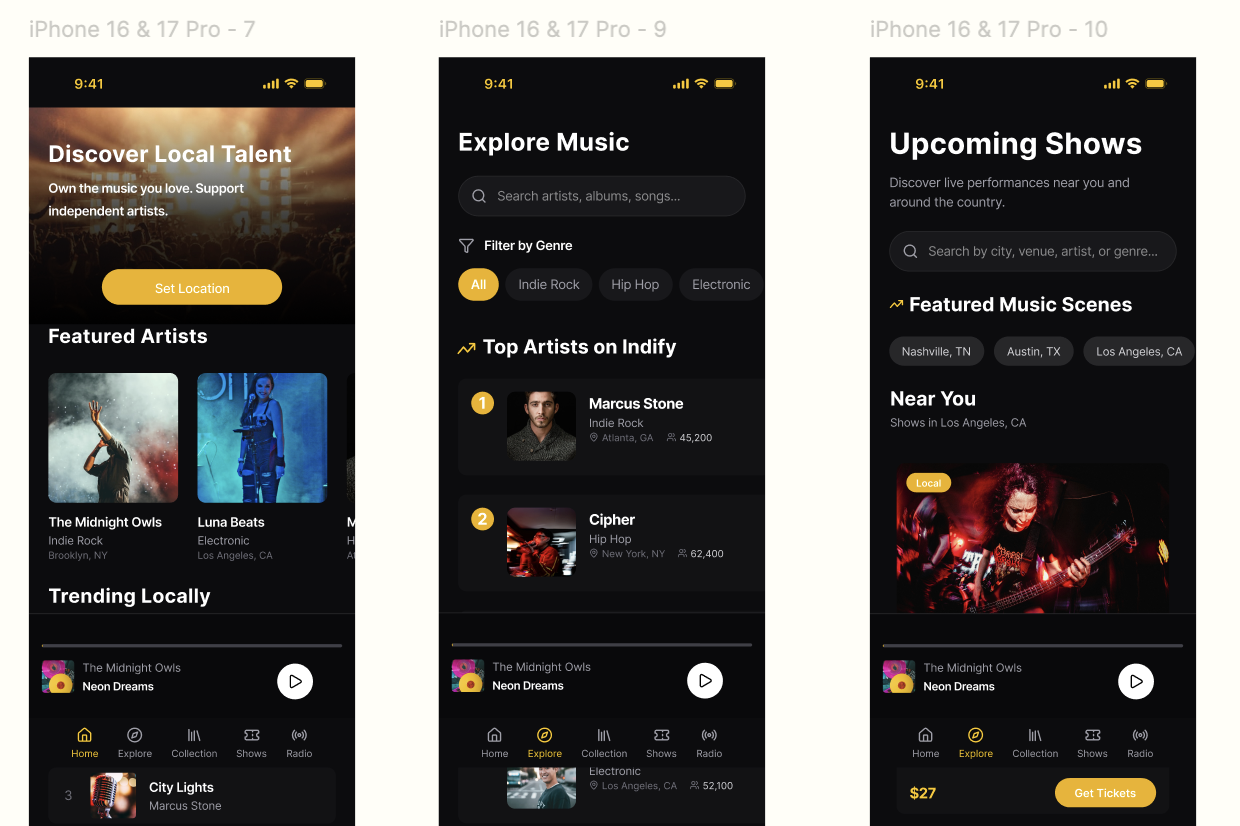
I applied the color scheme and fonts to my design to create mid / high fidelity wireframes showcasing all necessary information and stylistic choices.
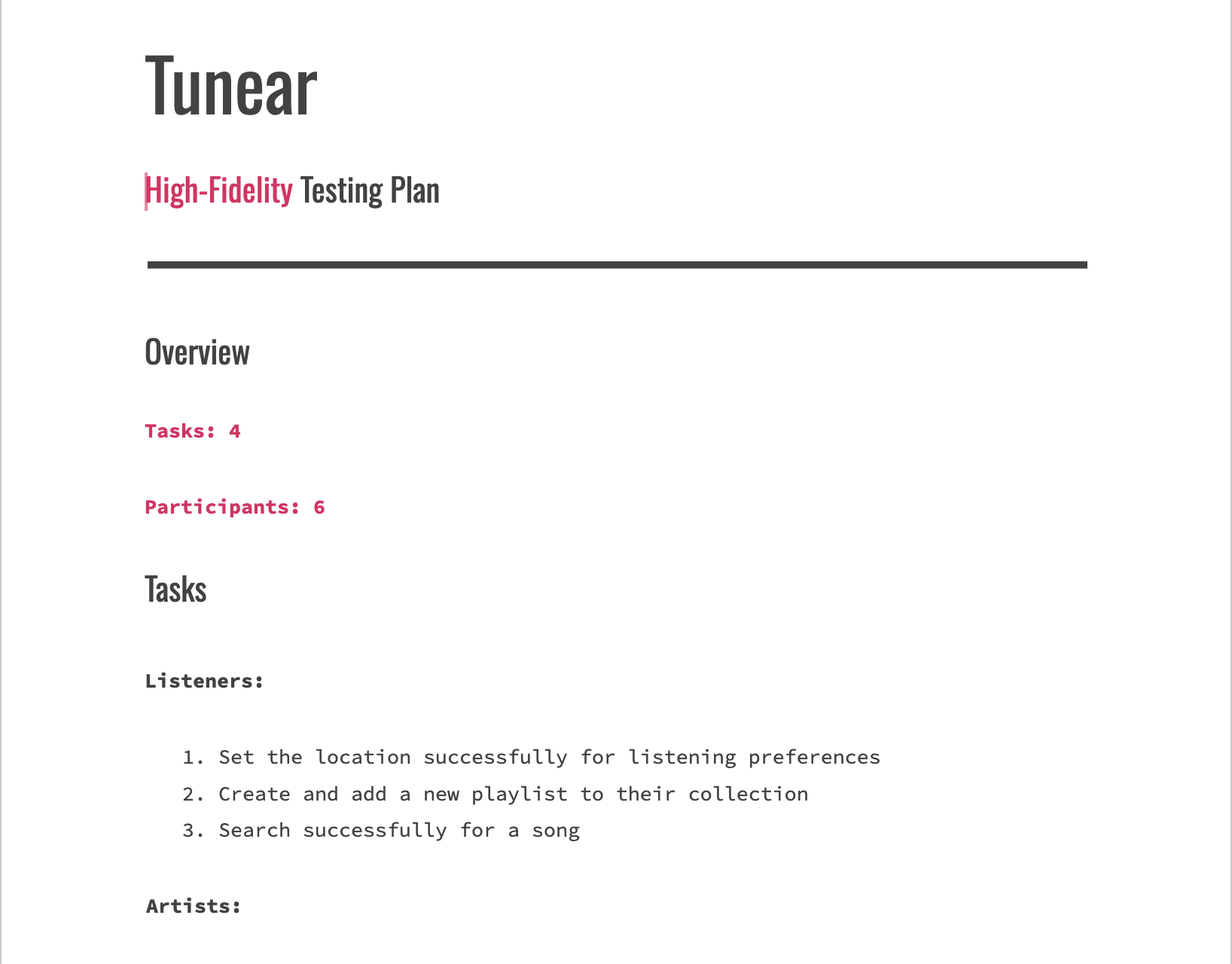
Step 5/7: Prototyping and User Testing
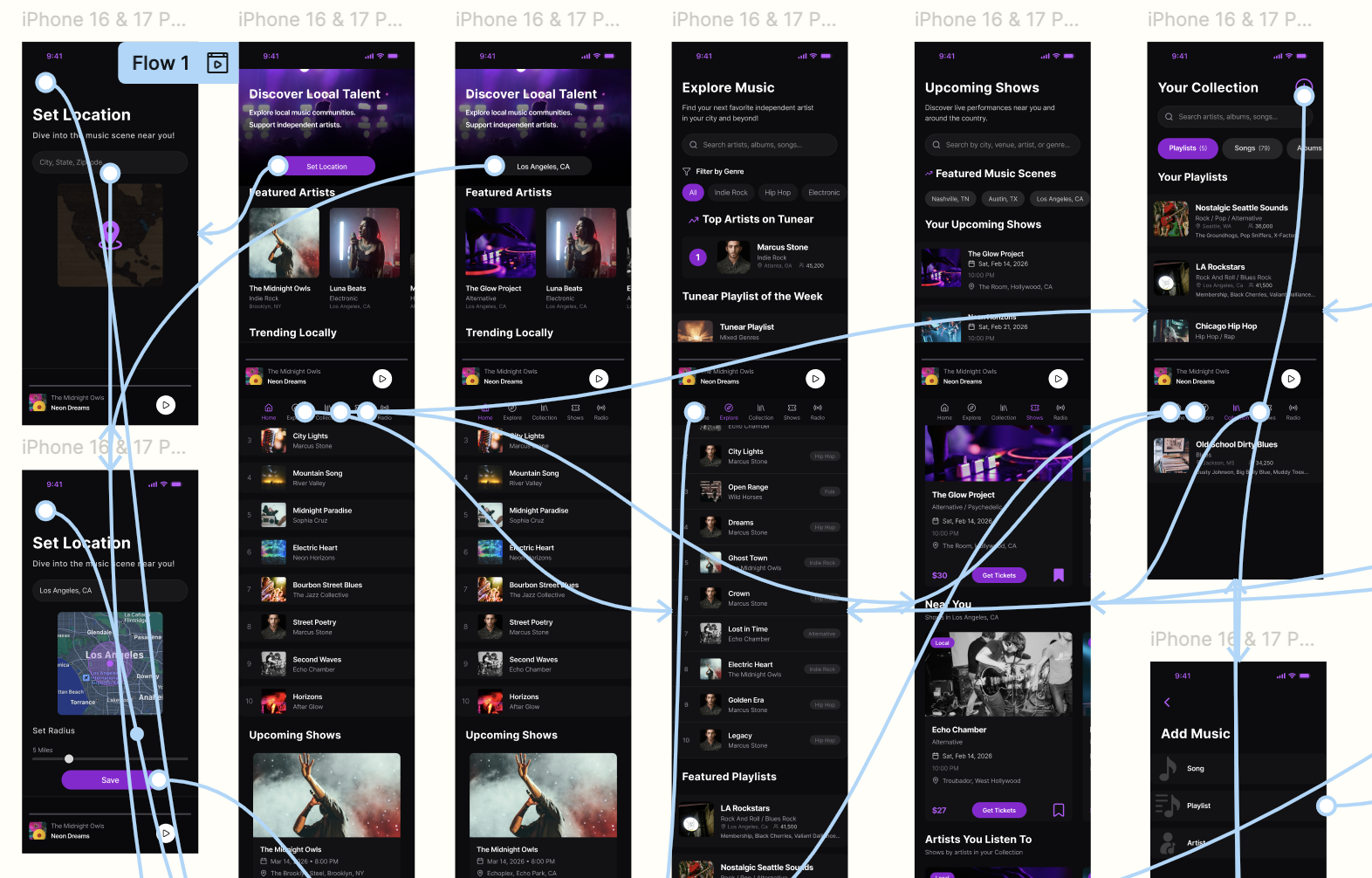
Next I created clickable prototypes to be used for user testing in order to gather useful feedback and insights.
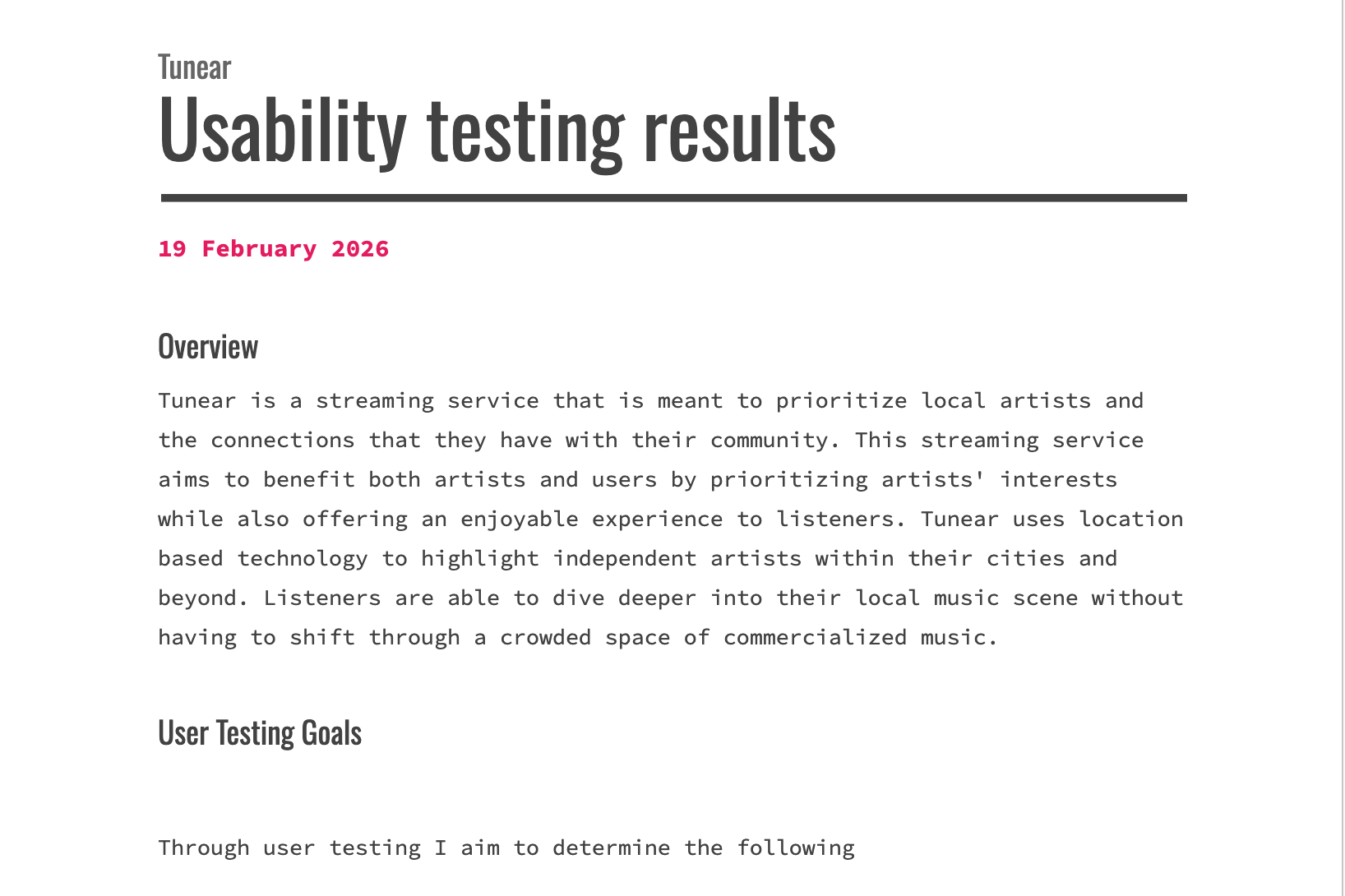
User Testing
Goals:
Determine the functionality and overall usability of the Tunear project
Uncover any possible improvements
Create a plan for priority revisions
Key Insights
The overall navigation of the product is easy to understand
Users were able to complete their tasks in a short amount of time with no errors
Users felt as though the design of the product was recognizable while also being unique
Step 6/7: Priority Revisions
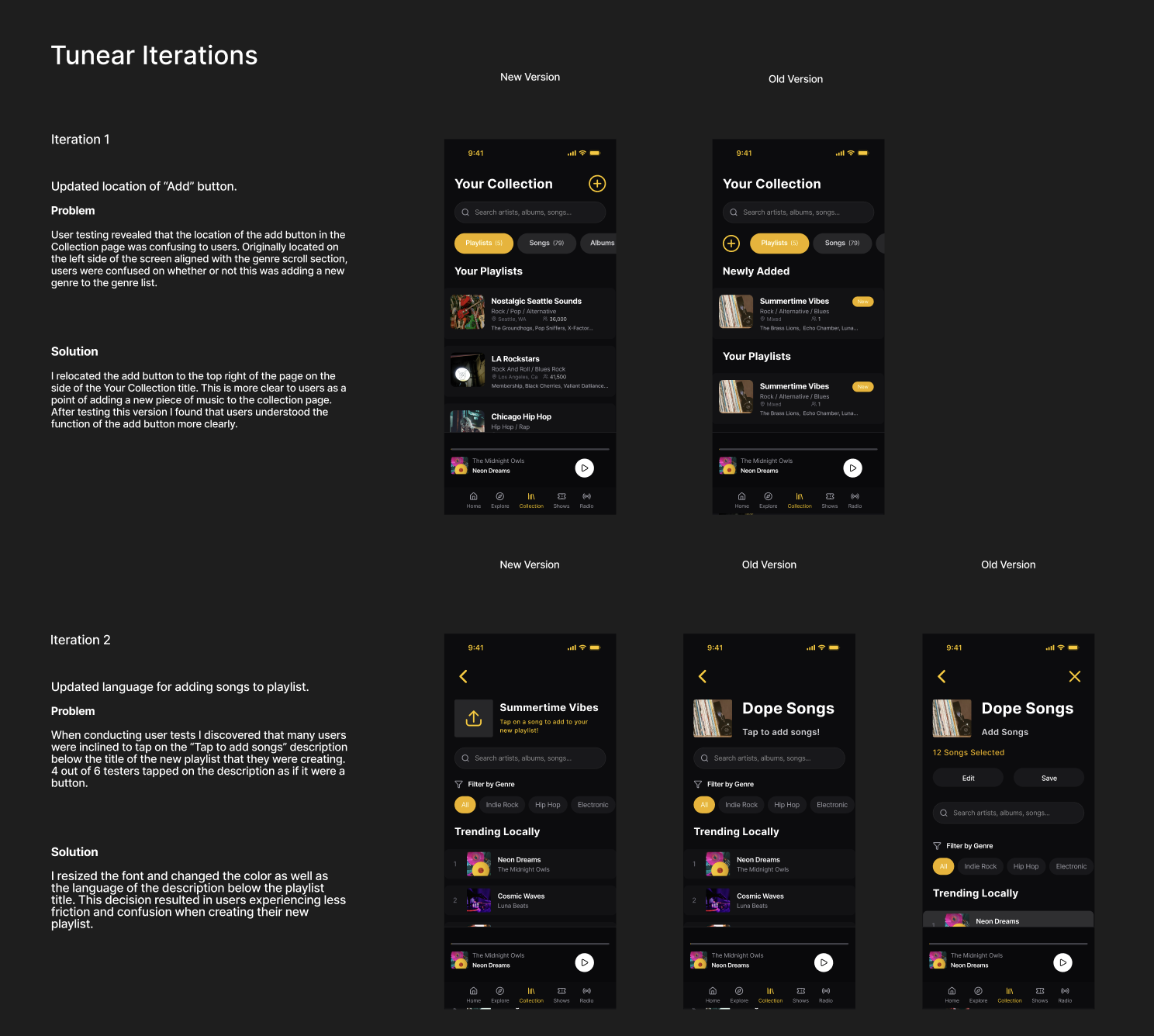
Once I gathered feedback from user testing and prototyping I iterated upon my designs by implementing and testing suggested improvements.
Revisions included and were not limited to:
Updating the placement of playlist add button
Adjusted language used for key actions
Resizing action buttons to match overall aesthetic of the product
Change of secondary color to purple for higher accessibility
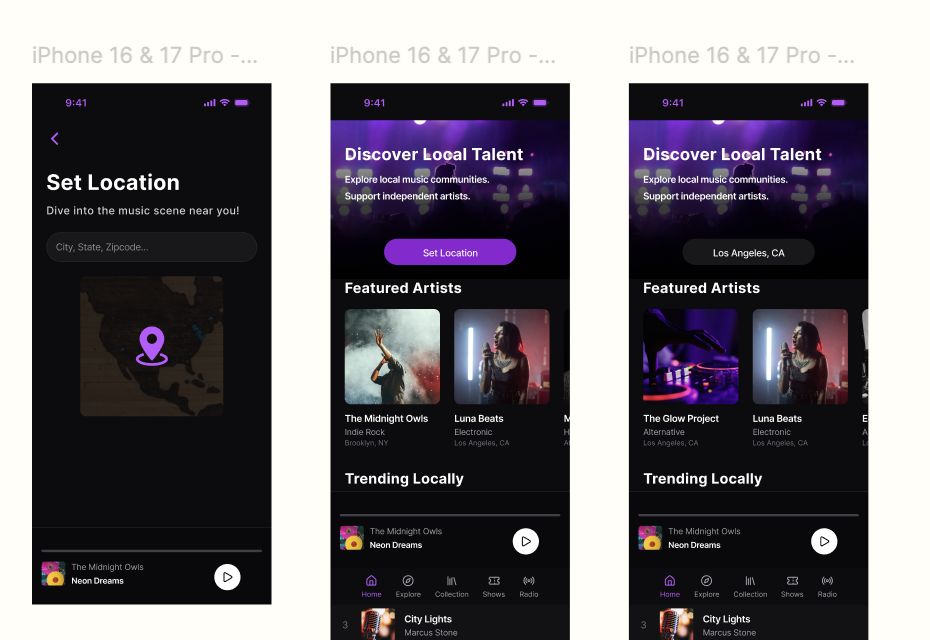
Step 7/7: Highest Fidelity
After conducting user testing and applying priority revisions I arrived to the highest current fidelity of the Tunear product.
Additional Methods used for Product Design
Mood Board
Feature Set
UI Kit
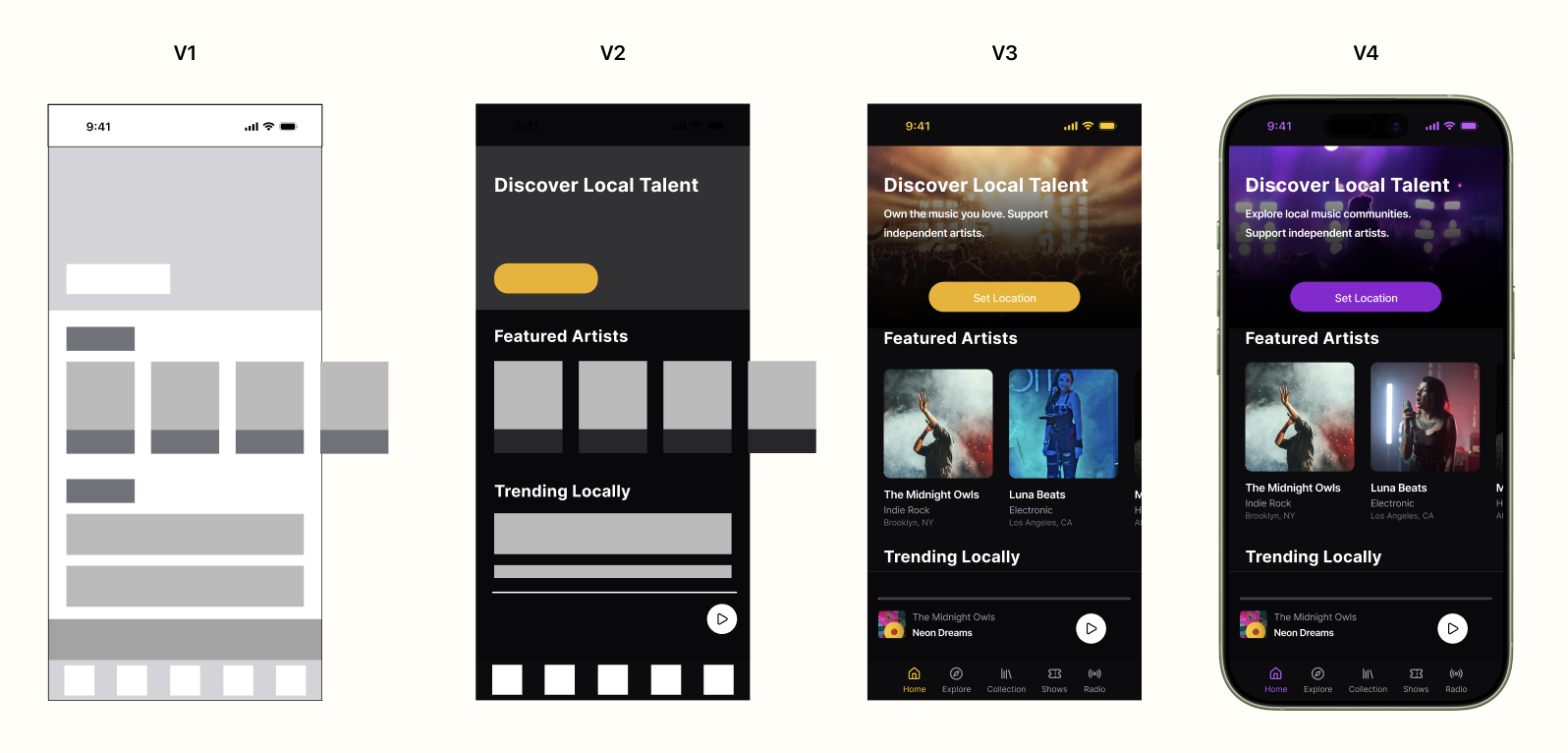
User and mentor feedback was heavily considered and implemented throughout the process of designing each version of the wireframes.
Version Timeline
Next Steps and Lessons Learned
Next Steps
Continue to conduct user testing and priority revisions as updates are implemented.
Flesh out the Artist experience to a more fully functional product
Lessons Learned / Reflections
Looking back I feel like I made the jump from low-fidelity to mid / high fidelity very quickly. I was confident in my choices but feel more exploration could have occurred in the early stages.
The project I chose to take on had a very large scope compared to the timeframe I was given leaving me in a constant state of consolidation and prioritization.
This product was created for the DesignLab UX/UI course. It showcases an in-depth understanding of various user research methods as well as proficiency in user interface practices.